
Choosing an app
Free Photo Cleaner Apps for iPhone: What Is Really Free
Free without limit: the Photos app's tools. Most photo cleaner apps for iPhone compared here are free to download, then cap swipes, show ads or sell a subscription. According to their App Store pages, Reclean and Selects are free to use, Clever Cleaner's Swipe mode has no daily limit, and GetSorted is free for six calendar months of your library.
This page is written by the makers of GetSorted, and the facts about the other apps come from their US App Store pages, read on 14 November 2026 and checked again on 15 November 2026 (Reclean and Selects: 15 November only). No competing app was installed: how an app works is what its listing says or, where marked, its developer's help page.
What does the iPhone do at no cost?#
Start with what you have: the Photos app, which lists no in-app purchases. The steps follow Apple's iPhone User Guide and support articles for iOS 26 and iOS 27.
- Merge duplicates. In Photos, tap Collections, Utilities, Duplicates, then Merge. The collection only appears when you have duplicates.
- Go through one type at a time. Tap Collections, scroll down to Media Types and tap a type, for example Screenshots.
- Delete many at once. Tap Select, tap photos or slide a finger across them, then tap the Trash button.
- Empty Recently Deleted when you are sure. Deleted photos stay there for 30 days (Collections, under Utilities) and take space until they are gone.
- See what fills the iPhone. Settings, General, iPhone Storage.
Apple's guide describes no mode that goes through the library photo by photo with a keep-or-remove decision; the apps below add that. The whole built-in route is in How to clean up photos on iPhone.
Which photo cleaner apps for iPhone are really free?#
Is there a free photo cleaner app? Yes, but the Get button only says that the download is free. What comes after it is in the app's description and in its In-App Purchases list, and the table gives both.
Source: US App Store, 14 and 15 November 2026 (Reclean and Selects: 15 November). Prices are the items of each In-App Purchases list, which shows at most ten, often without a billing period, and does not say which one a new user is offered. "Ad line" means that the age rating details say "Contains: Advertising".
| App | Free, according to its App Store page | Ads | Paid items listed |
|---|---|---|---|
| Reclean | Calls itself a free photo cleaner | Not stated; ad line | None (no In-App Purchases list) |
| Selects | Every part of the app; tips are optional | Says no ads; no ad line | Tips $2.99, $5.99, $9.99 |
| Clever Cleaner | Swipe mode without a daily limit; other tools within daily limits | Says no ads; no ad line | Weekly with 3-day trial $6.99; Lifetime $39.99 |
| Picnic | 100 swipes a day, with ways to earn more | Says ad-free; ad line | Weekly $4.99 to $7.99; monthly $9.99; annual $19.99 to $39.99; "Premium Pass" $7.99 |
| Swipewipe | Not stated. Developer's help page (15 November 2026): free with ads and a cap on swipes | Not stated; ad line | Weekly $3.99 to $9.99; 1 year $29.99; "Premium" $5.99, $9.99 |
| Slidebox | Not stated | Not stated; ad line; latest release notes: "No ads" | 1 week $1.99, $2.99; 1 year $19.99, $29.99; monthly $4.99; annual $49.99; Lifetime $29.99, $49.99 |
| Cleanup | Not stated. Names a 7-day free trial that renews as an annual plan | Not stated; no ad line | Weekly $5.95 to $11.99; 1 year $29.99 |
| GetSorted | Six calendar months of your library, of your choice, no time limit | None; no ad line | GetSorted Plus $7.99 a month or $34.99 a year |
What else each does, by the same pages: Reclean and Clever Cleaner find duplicates and compress videos, Selects pre-picks the keepers among near-identical shots, Picnic syncs favorites with Photos, Swipewipe goes month by month, Slidebox files a photo into an album with one tap, and Cleanup also tidies contacts and email. More in the best photo cleaner apps compared and in Is Swipewipe free?.
What does a weekly plan cost per year?#
Multiply by 52, then look at the yearly or one-time item of the same list:
| App | Weekly items listed | Times 52 | Yearly or one-time item listed |
|---|---|---|---|
| Clever Cleaner | $6.99 | $363.48 | Lifetime $39.99 |
| Picnic | $4.99 to $7.99 | $259.48 to $415.48 | Annual $19.99 to $39.99 |
| Swipewipe | $3.99 to $9.99 | $207.48 to $519.48 | 1 year $29.99 |
| Slidebox | $1.99, $2.99 | $103.48, $155.48 | 1 year $19.99, $29.99 |
| Cleanup | $5.95 to $11.99 | $309.40 to $623.48 | 1 year $29.99 |
GetSorted has no weekly plan; twelve months of its monthly plan come to $95.88, its yearly plan is $34.99.
Is there a photo cleaner app without a subscription?#
Yes, in three forms:
- Nothing to buy. Reclean and the Photos app list no in-app purchases.
- Tips only. Selects lists three tips and says it has no subscription and no paywall.
- Pay once. Clever Cleaner lists a Lifetime purchase at $39.99, Slidebox two at $29.99 and $49.99. Cleanup's description names a lifetime option; none is among the items listed.
GetSorted is not among them: GetSorted Plus is a subscription, and no one-time purchase is on sale. Looking for a swipe-to-delete photos app that is free with no subscription? Start with these three groups, and see how swipe apps work.
What is free in GetSorted, and what does GetSorted Plus cost?#
GetSorted is free to download and shows no ads to anyone. Without paying you can clean up six calendar months of your library, of your choice, each from start to end, however many photos it holds, with no time limit: six months of photos, not six months of time. (The app calls this the "Free trial".) A month counts from the first decision in it, so pick months with many photos. Albums, the Trash, the daily goal and streaks are free too; see the full list.
- Open a month in the Overview and tap Start sorting. Each photo fills the screen.
- Swipe up to mark it Remove, down to mark it Keep, or tap an album chip to keep and file it. A swipe never deletes.
- When every photo is decided, tap Complete month, or empty the Trash, and confirm the iOS dialog. Until you confirm, nothing is deleted; afterward the photos stay in Recently Deleted for 30 days.
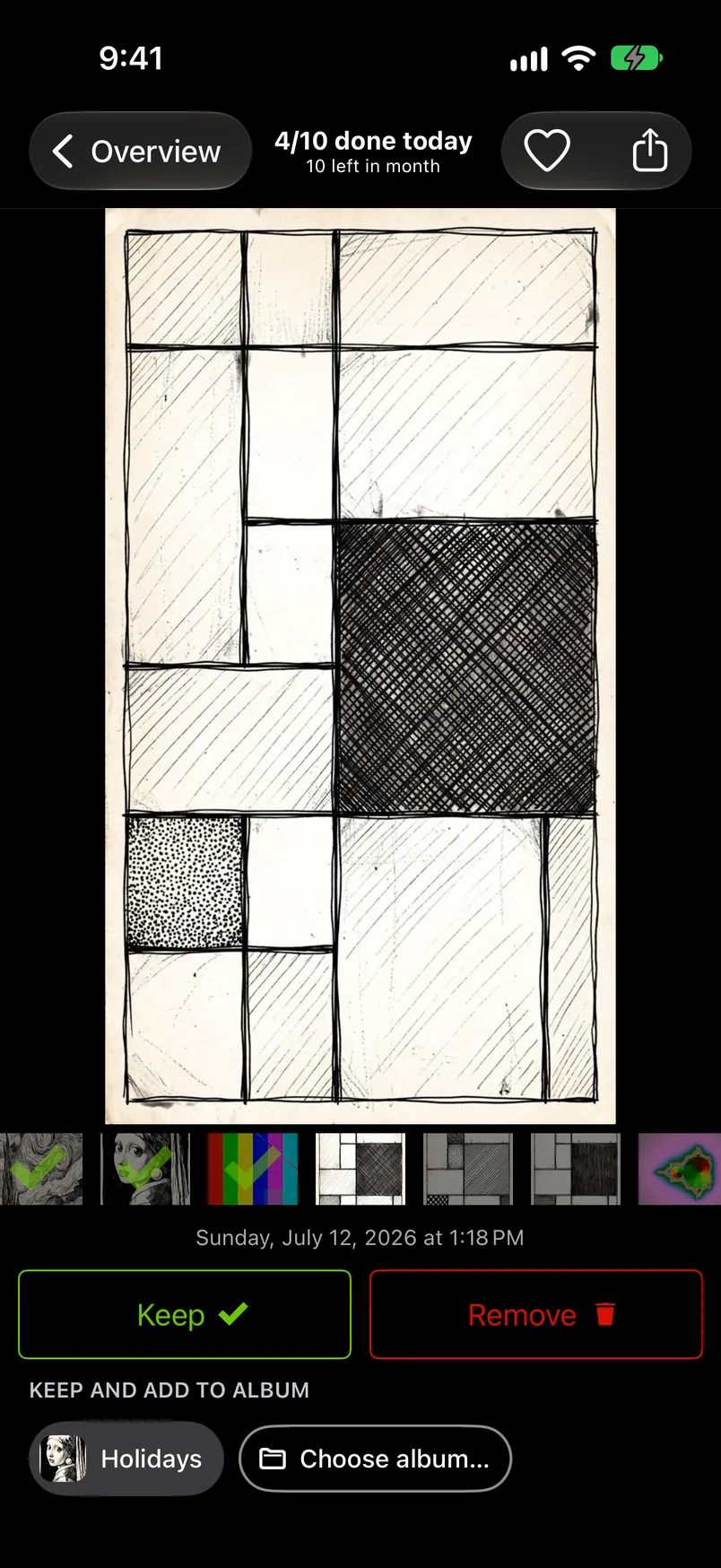
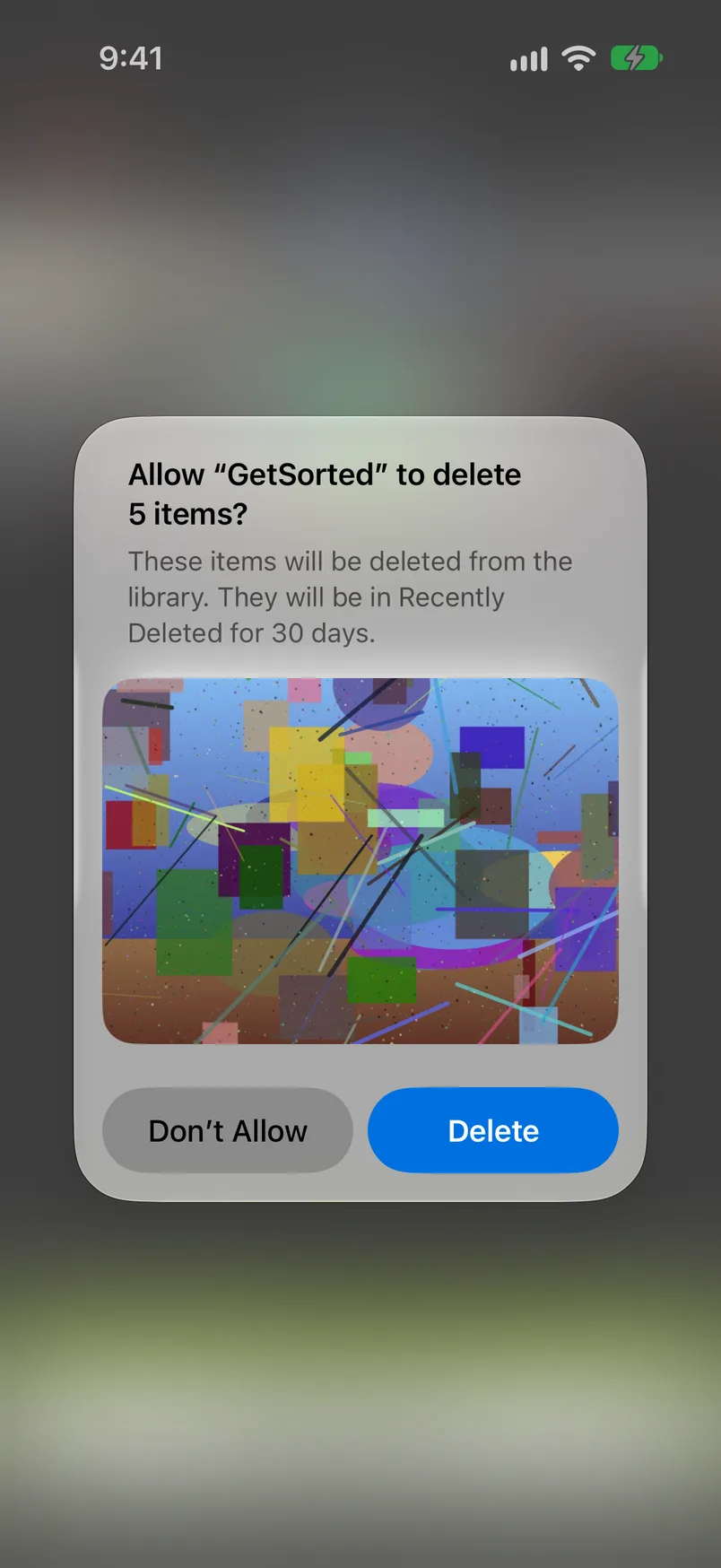
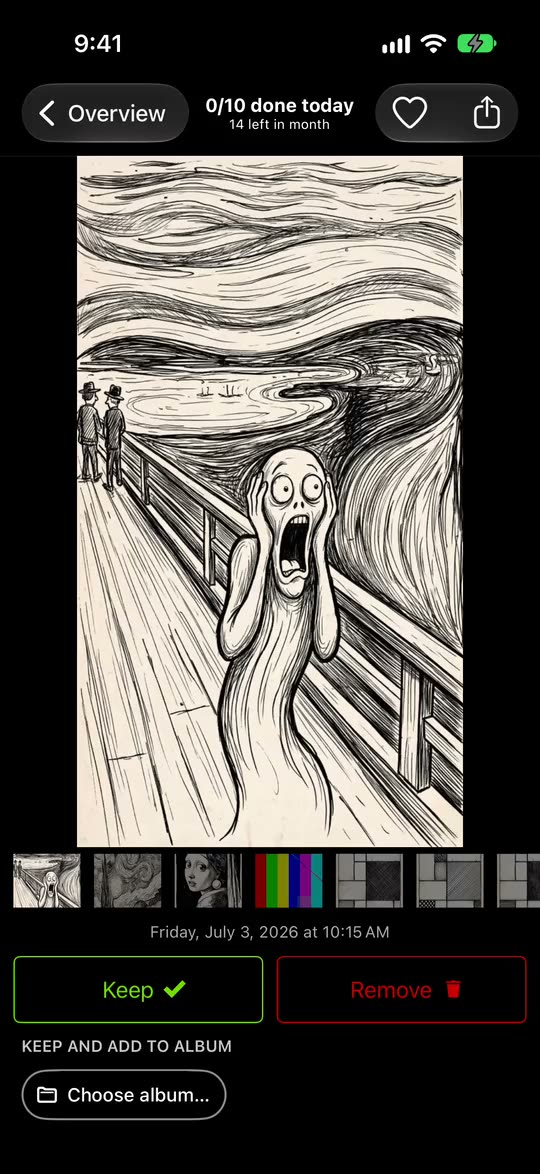
After six started months nothing is charged, because the free months are not a trial of a subscription. The six stay open, and the other months lock until you subscribe.
GetSorted Plus unlocks the other months and nothing else. It is a monthly or yearly subscription with no weekly plan: $7.99 a month or $34.99 a year in the United States, £7.99 or £34.99 in the United Kingdom (App Store, 14 November 2026, prices for new subscribers). Its In-App Purchases list shows GetSorted Plus twice, the lower amount being the monthly plan, and "Old unlock (not for sale)", an earlier one-time purchase that cannot be bought. If you bought it then, it is still honored: tap Restore purchase, and write to support@sorted.app if you have trouble.
Before you install: during setup GetSorted shows its plans; the X at the top right closes that screen, the big Continue button starts a purchase. GetSorted's own App Store description still said "no subscription" on 15 November 2026; that text is out of date. And GetSorted does not find identical duplicates (the Duplicates collection in Photos does; GetSorted groups similar photos), does not compress or sort by file size, and runs on iPhone and iPad only.
How do you read the In-App Purchases list before you install?#
- Look next to the Get button. "In-App Purchases" there is Apple's sign that the app sells something inside.
- Scroll down to Information and open In-App Purchases: names and prices, at most ten.
- Read the names. "Weekly" or "1 week" is a price per week, "with Trial" becomes a paid plan unless you cancel in time, "Lifetime" is paid once.
- Open Age Rating in the same section. It can carry the line "Contains: Advertising".
A listing can lag behind the app (ours does), so read the newest reviews for what the free version allows today. To cancel a trial or a subscription: Settings, your name, Subscriptions.
Is there a completely free photo cleaner app for iPhone?
The Photos app is: merging duplicates, browsing by media type and deleting have no limit. Among other apps, Reclean lists no in-app purchases, Selects only optional tips, and Clever Cleaner's listing says its Swipe mode has no daily limit (US App Store, 15 November 2026).
How much does a photo cleaner app cost?
For the apps on this page (US App Store, 14 and 15 November 2026), weekly items ran from $1.99 to $11.99, yearly ones from $19.99 to $49.99 and lifetime purchases from $29.99 to $49.99. Times 52, $7.99 a week is $415.48 a year.
Is GetSorted free?
Free to download, with no ads, and free to use for six calendar months of your library, of your choice and with no time limit: six months of photos, not six months of time. Further months need GetSorted Plus, a monthly or yearly subscription.
What happens in GetSorted after the six free months?
Nothing is charged and nothing is lost. The six months you started stay open; the others show a lock, and sorting in one opens the subscription screen, which "Maybe later" closes. More under Locked months.