
Choosing an app
Best Photo Cleaner Apps for iPhone: A Fair Comparison
The best photo cleaner app for iPhone depends on the job. To decide photo by photo, use a swipe app such as Swipewipe, Slidebox or GetSorted. To clear exact duplicates, the built-in Photos app is enough. If the phone is simply full, check iPhone Storage in Settings first; automatic cleaners such as Clever Cleaner propose what to delete.
This comparison is written by the makers of GetSorted, one of the apps in it. The facts about the other apps come from their App Store pages (US storefront, read on 14 November 2026); where a detail comes from a developer's own website, the text says so.
What is the best photo cleaner app for iPhone? It depends on the job#
Call them photo cleaners, camera roll cleaners or apps to delete photos: they do three different jobs.
- You want to decide photo by photo yourself. That is a swipe app: Swipewipe, Slidebox, Slider, Picnic, Photo Cleaner ® or GetSorted.
- You only want exact duplicates gone. You need no app: the Photos app merges them.
- The iPhone is full. Open Settings › General › iPhone Storage to see what takes the space. If it is photos and videos, an automatic cleaner (Cleanup, Clever Cleaner, CleanMy®Phone) proposes what to delete or compress.
Who wrote this, and how were the apps compared?#
We make GetSorted, so check us. Unless marked, every statement about another app is something its App Store page shows: the description, the in-app purchases, the age rating section, the device list. We installed none of the other apps and do not say how well they work; "not stated" means the page is silent, not no. GetSorted's own App Store description still said "no subscription" on 14 November 2026; that text is out of date. Within each group, apps are ordered by their number of US ratings, most first.
Swipe apps: you review photo by photo#
A swipe app shows one photo at a time, and a gesture decides. In all six, a swipe only marks a photo and deleting is a separate step, according to their listings or developers. More in Swipe to delete photos.
- Swipewipe (MWM; 102,101 US ratings, the most in this group). Month by month: right keeps, left deletes. It adds an On This Day widget and streaks, and its website lists an Android app. Choose it for month-by-month swiping, or if you also use Android (Swipewipe alternatives).
- Slidebox (Slidebox LLC; Editors' Choice badge on its US page). Swipe to trash, tap an album to file, flip between similar photos. It lists a one-time Lifetime purchase and, on its website, an Android app. Choose it if albums matter most and you would rather pay once (Slidebox alternatives).
- Slider (June Ninth LLC; the smallest download here, 15.6 MB). Left trashes, right keeps; you review, then empty the trash. Choose it if a keep-or-delete stack is all you want.
- Picnic (MWM). Left archives, right keeps; one tap empties the Archive. Choose it if a daily allowance of free swipes suits you.
- Photo Cleaner ® (Lumi Software). An overview by month and year: left deletes, right keeps, one confirmation at the end. English only. Choose it for that overview.
- GetSorted (ours). Month by month, like Swipewipe and Photo Cleaner ®: up removes, down keeps, an album chip keeps and files. Videos and screenshots have their own month lists. Choose it to work through years of photos and fill albums on the way.
Automatic cleaners: the app picks photos for you#
These apps scan the library and propose what to delete: duplicates, similar shots with a suggested best one, screenshots, large videos. You confirm instead of looking at every photo. All three listings say photos are processed on the device.
- Cleanup (Codeway; 763,164 US ratings, the most on this page). Duplicate and similar photos with the best one marked, screenshots in bulk, video compression, an email cleaner and contact merging. Choose it to clean photos, email and contacts in one app.
- Clever Cleaner (CleverFiles). Groups duplicate and similar photos, marks a best shot, sorts videos by size, compresses media. Per its listing: no ads, and a Swipe mode with no daily limit. Choose it for suggestions and compression, or to swipe without a subscription.
- CleanMy®Phone (MacPaw, formerly Gemini Photos). Scans for blurred photos, screenshots, large videos, duplicates and similar shots, sorts photos into categories, compresses videos, merges contacts. Choose it for a scan sorted into categories.
Does the iPhone have a built-in photo cleaner?#
Partly. In Photos you can swipe from photo to photo and delete, but nothing records a decision for each; the iPhone does the other two jobs for free:
- Exact duplicates. In Photos, tap Collections, then Utilities, then Duplicates, and tap Merge. Without duplicates, the collection does not appear.
- A full iPhone. Settings › General › iPhone Storage shows what takes the space and may offer recommendations.
Clean Up in the Photos editor is something else: it removes objects from one photo. (Paths as in Apple's iPhone User Guide for iOS 26 and 27, checked on 15 November 2026.) For exact duplicates you need no app, ours included; see similar and duplicate photos.
The apps side by side: method, free use, ads, price model#
US App Store pages, 14 November 2026. Advertising line: whether the age rating section says "Contains: Advertising". Developers declare that themselves. Purchases: the listed in-app purchases whose period the page states (it shows at most ten and does not say which one a new user is offered), with weekly prices also for 52 weeks, in brackets.
| App | Method | Free use, per listing | Advertising line | Listed purchases (US) | iPad | Requires |
|---|---|---|---|---|---|---|
| Swipewipe | Swipe | Not stated | Shown | Week $3.99 to $9.99 ($207.48 to $519.48); year $29.99 | Yes | iOS 18 |
| Slidebox | Swipe | Not stated | Shown | Week $1.99 or $2.99 ($103.48 or $155.48); month $4.99; year $19.99 to $49.99; Lifetime $29.99 or $49.99 | Yes | iOS 15 |
| Slider | Swipe | Not stated | Not shown | Year $19.99 | Yes | iOS 15 |
| Picnic | Swipe | 100 swipes a day | Shown | Week $4.99 to $7.99 ($259.48 to $415.48); month $9.99; year $19.99 to $39.99 | Not listed | iOS 17 |
| Photo Cleaner ® | Swipe | Not stated | Shown | Week $4.99 ($259.48); month $7.99; year $29.99 ("With Offer": $19.99) | Not listed | iOS 16.4 |
| GetSorted | Swipe | Six months of photos | Not shown | Month $7.99; year $34.99 (UK: £7.99; £34.99) | Yes | iOS 15 |
| Cleanup | Scan | Not stated (7-day trial) | Not shown | Week $5.95 to $11.99 ($309.40 to $623.48); year $29.99 | Not listed | iOS 15 |
| Clever Cleaner | Scan, swipe | Daily limits; swiping unlimited | Not shown | Week $6.99 ($363.48); Lifetime $39.99 | Compatibility mode | iOS 16 |
| CleanMy®Phone | Scan | Not stated (3-day trial) | Not shown | Month $7.99; year $36.99; Gemini Photos items: month from $2.99, year from $19.99 | Yes | iOS 17 |
| Photos (Apple) | Built in | Everything | Not shown | None | Yes | Part of iOS |
GetSorted's prices (GetSorted Plus) are those for new subscribers on that date. An earlier one-time purchase is still honored and comes back with Restore purchase (support@sorted.app if it does not). For privacy labels, see Are photo cleaner apps safe?
Which apps are free, and which need a subscription?#
All nine apps are free to download. Per their listings, Clever Cleaner is free within daily limits with unlimited swiping, and Picnic gives 100 free swipes a day; Swipewipe's website describes a free version with ads and a limit on swipes (Is Swipewipe free?). In GetSorted, six calendar months of your library are free, of your choice and with no time limit (six months of photos, not six months of time); every further month needs GetSorted Plus, a monthly or yearly subscription. Slidebox and Clever Cleaner list a one-time purchase; six of the nine apps list a weekly plan. Free limits with sources: Free photo cleaner apps for iPhone.
Who is GetSorted for, and who is it not for?#
GetSorted suits people who want to decide photo by photo, a month at a time:
- Pick a month of your library.
- Swipe each photo up to mark it Remove or down to mark it Keep. A swipe never deletes.
- Tap an album chip to keep a photo and file it; a badge on look-alikes opens compare mode.
- Complete the month, or empty the Trash, and confirm the iOS dialog. Only then are the marked photos deleted, and they stay in Recently Deleted for 30 days.
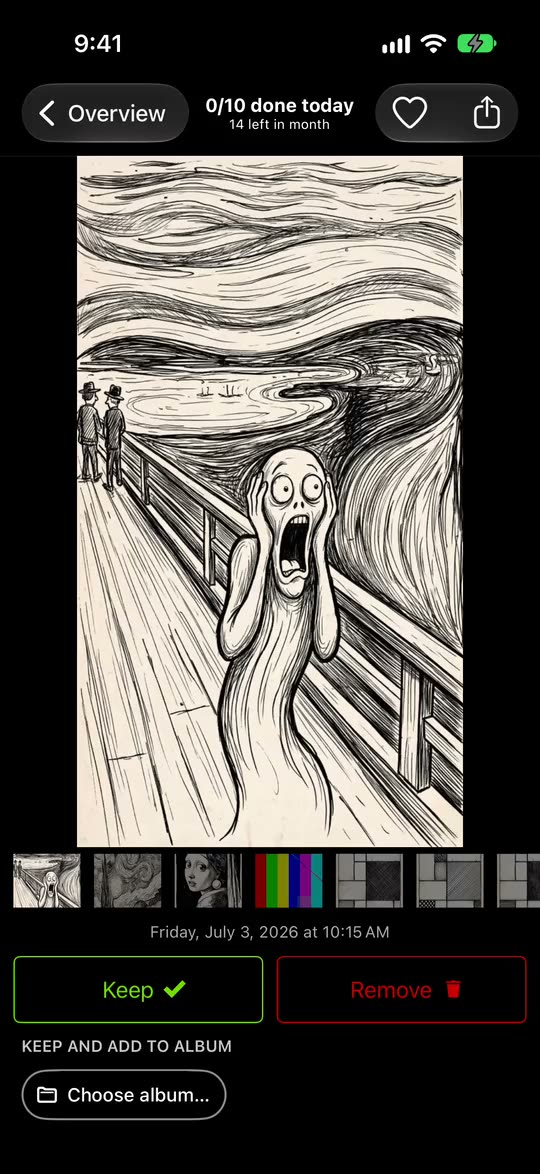
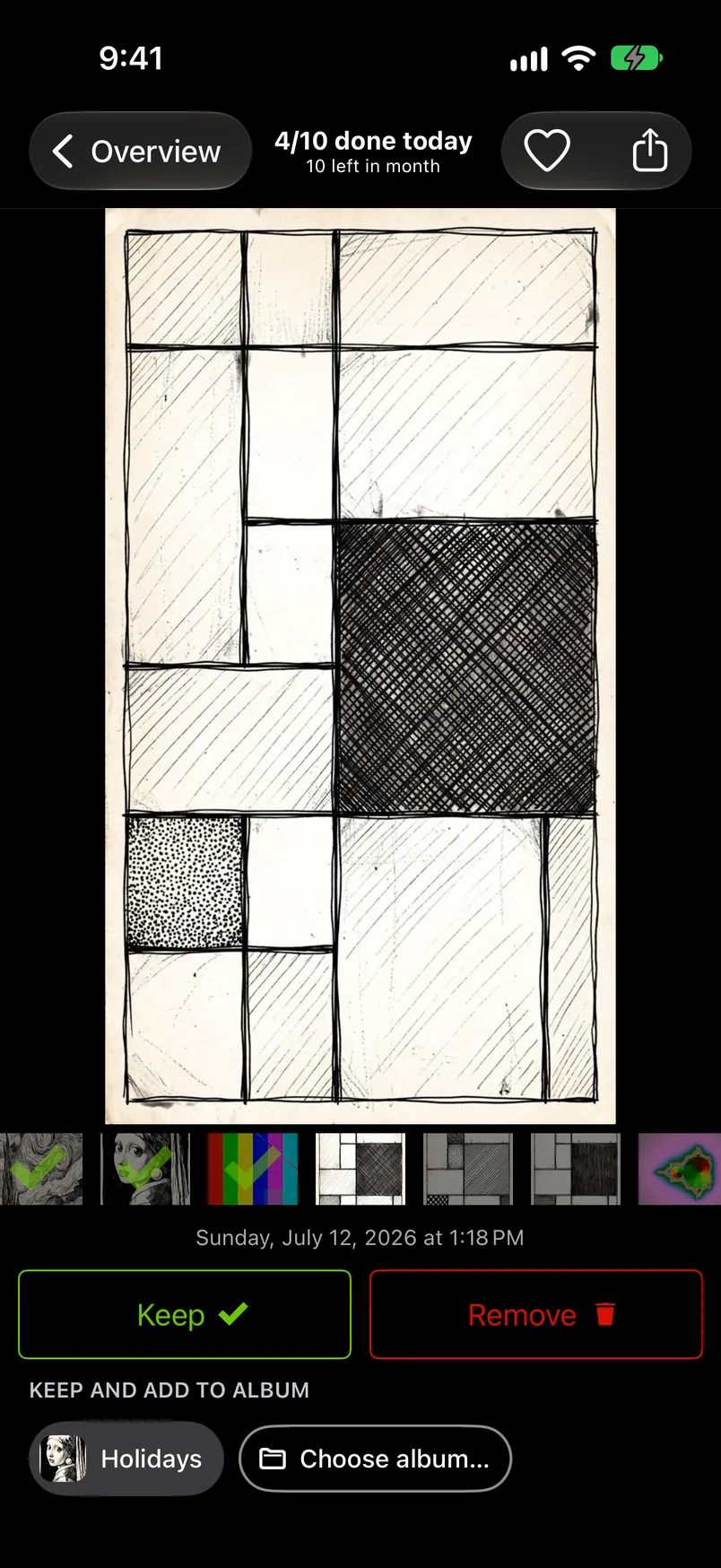
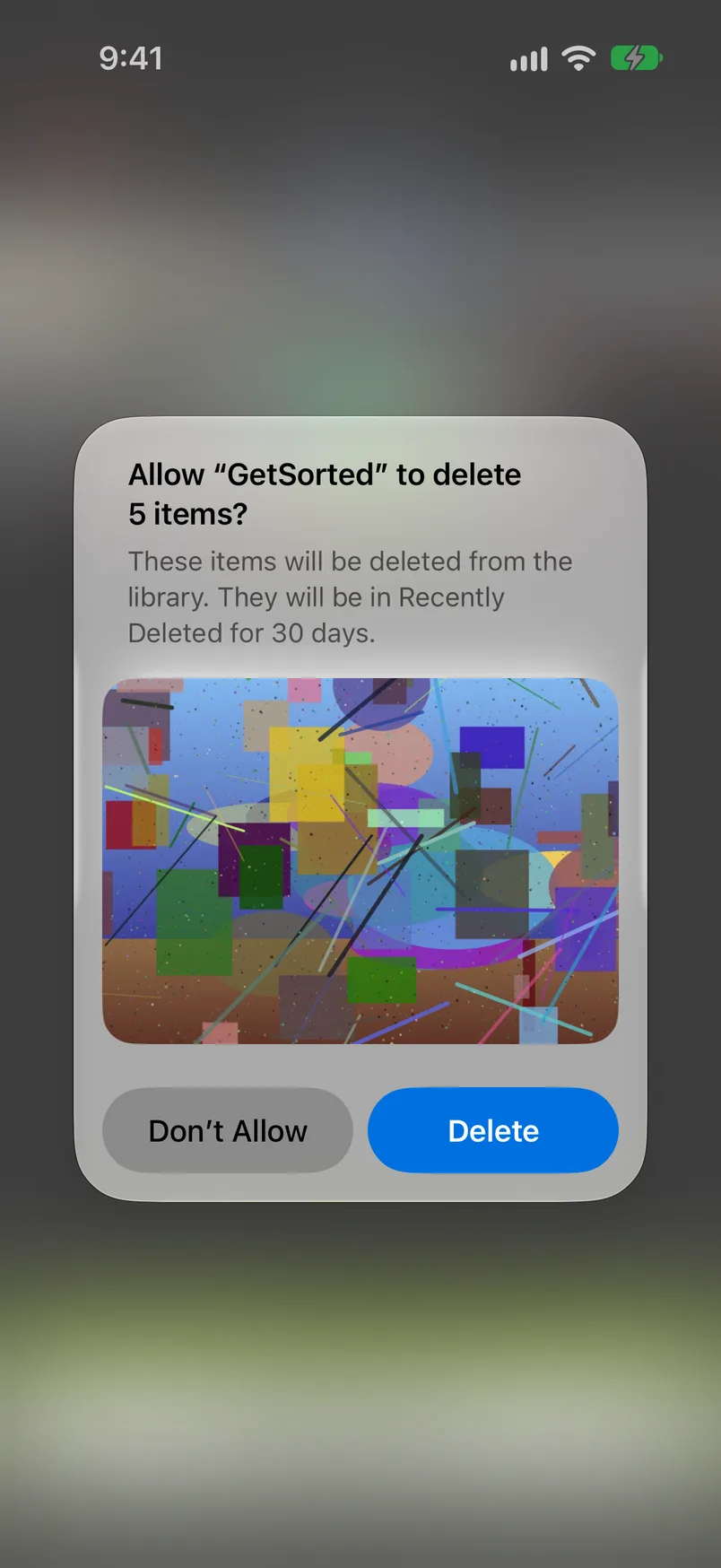
There are no ads and no account. GetSorted does not upload your photos or videos; they are shown and compared on your device. It does send usage statistics, crash reports and purchase status to three services, with no switch: what is reported.
Choose something else if
- You only want exact duplicates removed. GetSorted groups look-alikes; it does not find identical files. Use Duplicates in Photos.
- You want an all-in-one cleaner. GetSorted does not compress and does not touch contacts, email or caches.
- You want the app to choose. GetSorted never marks a photo by itself.
- You want to pay once, or nothing. Free means six months of photos here. Slidebox and Clever Cleaner list a Lifetime purchase.
- You use Android or a Mac. GetSorted is for iPhone and iPad only; Swipewipe and Slidebox also list Android apps.
What is the best app to clean up photos on iPhone?
It depends on the job: a swipe app to review photo by photo yourself, the Photos app to merge exact duplicates, an automatic cleaner to have deletions proposed. By hand: How to clean up photos on iPhone.
Which photo cleaner apps for iPhone have no ads?
On 14 November 2026 the US App Store pages of Slider, Cleanup, Clever Cleaner, CleanMy®Phone and GetSorted had no "Contains: Advertising" line; those of Swipewipe, Slidebox, Picnic and Photo Cleaner ® had one. GetSorted shows no ads to anyone, free users included.
Do photo cleaner apps really free up storage?
Yes, but not at once. Photos deleted through an app go to Recently Deleted in Photos for 30 days; the space comes back when they leave it or you empty it. See Why is my iPhone storage still full after deleting photos?
What is the best photo cleaner for iPad?
On 14 November 2026 the App Store pages of Swipewipe, Slidebox, Slider, CleanMy®Phone and GetSorted listed iPad. GetSorted shows two columns on iPad and syncs your progress with your iPhone through your own iCloud, though not instantly.