
Clean up photos
How to Clean Up Photos on iPhone: A Step-by-Step Checklist
How to clean up photos on iPhone, in order: merge duplicates, clear out screenshots, screen recordings and long videos in the Photos app, then review the rest one month at a time. Deleted photos wait in Recently Deleted for 30 days; the storage is free after that, or sooner if you empty that album.
Cleaning up the library, or the Clean Up editing tool? What this guide covers#
"Clean up photos" means two things on an iPhone. This guide is about the photo library: clearing out what you no longer need. Clean Up is also an editing tool in the Photos app that erases distracting objects from a single picture: open a photo, tap Edit, then Clean Up (under Tools in iOS 27; on iPhones with Apple Intelligence). Steps: Apple's guide to the Clean Up tool.
This guide is written by the makers of GetSorted. The iPhone steps follow Apple's iPhone User Guide for iOS 26 and iOS 27 and Apple's support articles; facts about other apps come from their US App Store pages and makers' websites, read on 14 and 15 November 2026.
How to clean up photos on iPhone: the best order#
The best way to clean up a photo library on an iPhone is to work in order of payoff: first the piles the Photos app has already collected, then the review only you can do. Call it cleaning up or tidying up, the checklist is the same.
- Back up what you want to keep, and know what deleting does.
- Empty Recently Deleted: earlier deletions still take space.
- Merge exact copies in Duplicates.
- Delete screenshots and screen recordings you no longer need.
- Go through your videos, long ones first, and your bursts.
- Review everything else one month at a time.
- Empty Recently Deleted again when you need the storage now.
What does deleting a photo really do?#
A deleted photo or video moves to the Recently Deleted album for 30 days. Until then you can recover it, and it keeps taking space on the iPhone. If you clean up photos on iPhone for storage, the job ends with emptying Recently Deleted or waiting 30 days (why storage is still full after deleting photos).
Two iCloud rules:
- With iCloud Photos on, a deletion applies on all your devices and in iCloud, so cleaning up on the iPhone also cleans up the iCloud photo library; you cannot delete from the phone alone (photos taking up space even with iCloud).
- If your iCloud storage is over its limit, Apple removes deleted photos at once: they skip Recently Deleted and cannot be recovered.
Which photos can you clear out with the built-in tools first?#
In the Photos app on iOS 26 and iOS 27, tap Collections at the bottom; Utilities and Media Types are further down.
- Recently Deleted. Under Utilities, tap Recently Deleted, then View Album, and unlock it. Look through it, then tap Select, the More button and Delete All, and confirm. This is final.
- Duplicates. Under Utilities, tap Duplicates, then Merge next to a set, and confirm. Photos keeps one copy and moves the others to Recently Deleted. The collection shows only when Photos has found some, and it finds copies of the same picture, not look-alikes from the same moment: for those see similar and duplicate photos.
- Screenshots. Under Media Types, tap Screenshots. Tap Select, tap the ones to delete or slide your finger across them (on iOS 27, Select All marks the whole collection), then tap the Trash button. More: how to delete screenshots.
- Screen recordings. Same place, Screen Recordings.
- Long videos. In the library, tap the Sort and Filter button and show only videos (iOS 27: the Media Types filter; iOS 26: Filter, then Videos). Photos orders by date, not by size or length, so scroll for the long ones.
- Bursts. Open a burst and choose the frames to keep (Apple's steps).
How do you go through the rest without losing good photos?#
What is left is usually the bulk of the library: thousands of ordinary photos that no filter can judge. Photos can select, filter and delete, but Apple's guide describes no mode that takes you through photo after photo and records a decision for each, and marking thumbnails by hand does not scale to a five-digit library. A smaller unit does: one month at a time (how to delete photos by month).
That review is what GetSorted is for:
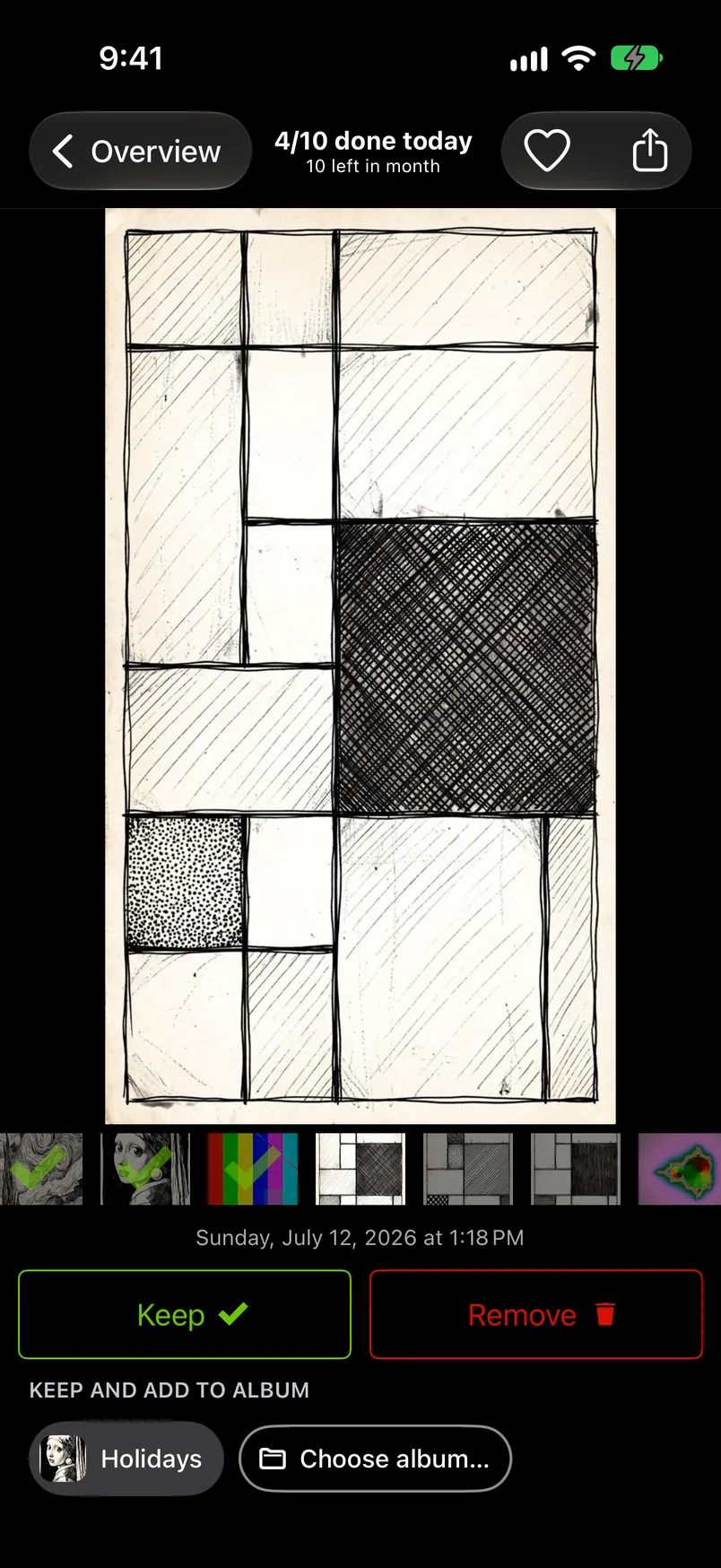
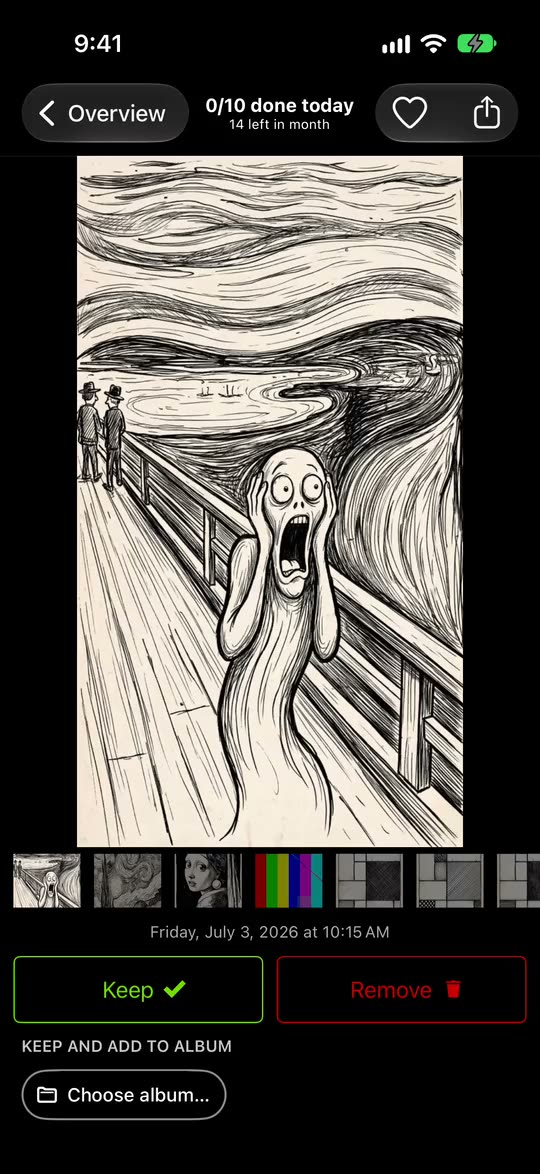
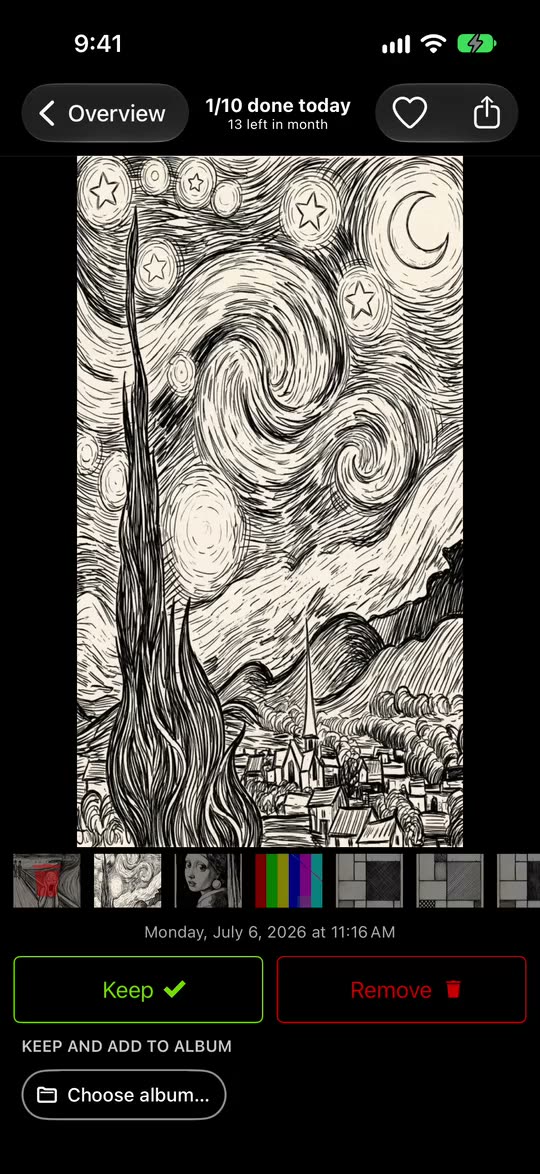
- Pick a month on the Overview tab or continue the one the Clean up tab suggests.
- One photo fills the screen. Swipe up to mark it Remove, swipe down to mark it Keep; the two buttons do the same.
- Tap an album chip to keep the photo and file it in that album.
- Nothing is deleted while you sort: what you marked Remove waits in GetSorted's Trash, and any decision can be changed.
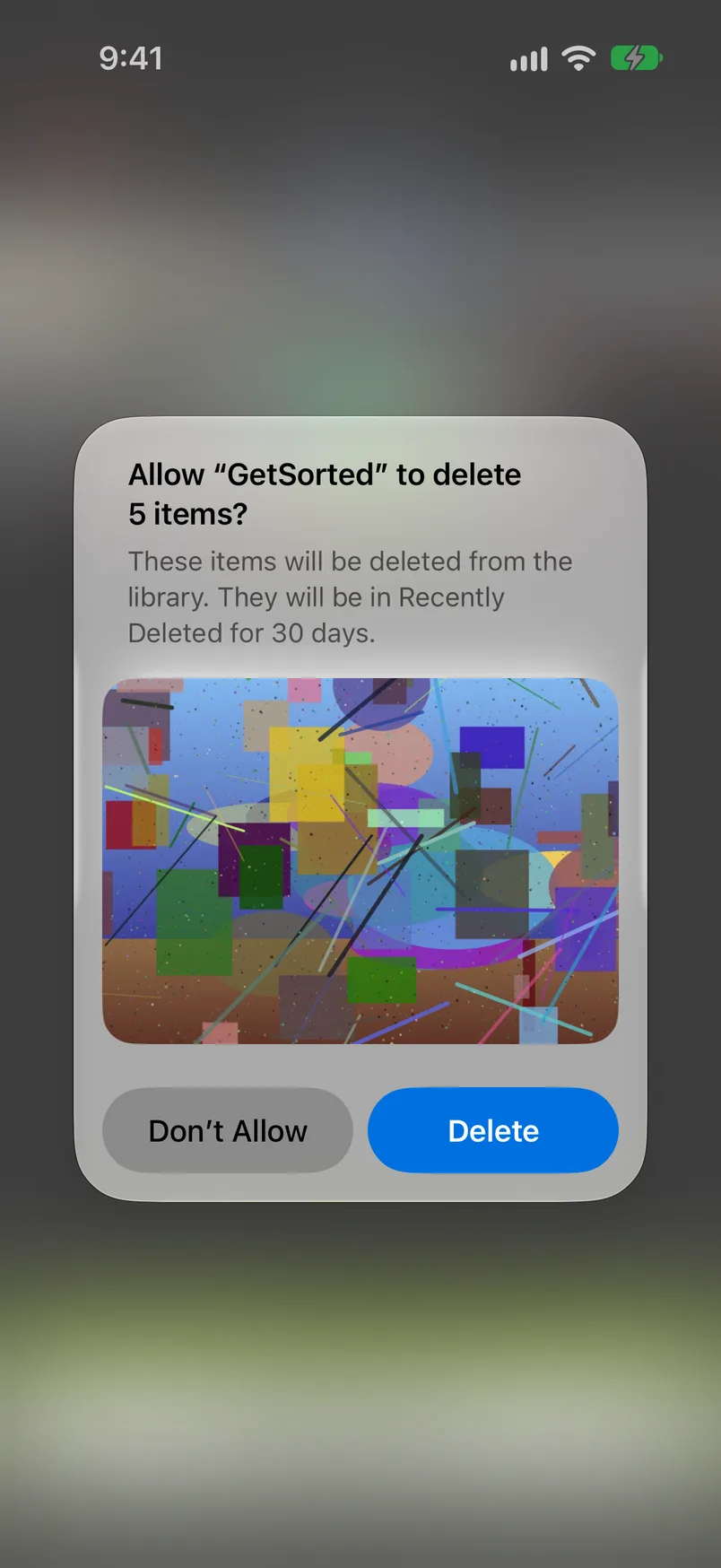
- When the month is decided, tap Complete month (or empty the Trash) and confirm the iOS dialog. Only then are photos deleted, and they stay in Recently Deleted for 30 days.
The Overview also lists Videos, Screenshots and Live Photos month by month, and Similar photos, groups of look-alikes taken within minutes of each other. A daily goal of 10 to 100 photos, streaks and 20 achievements keep you going. More: sorting into albums, a daily camera roll routine, thousands of photos, decluttering.
What it does not do: GetSorted does not clean automatically (it never marks a photo by itself), does not compress, and does not merge exact duplicates (Duplicates in Photos does). If you need storage back today, the built-in passes are the quicker route.
What is free: the download, with no ads, and six calendar months of your library, of your choice, with no time limit. The app calls this the free trial, but it is six months of photos, not six months of time; a month counts from the first decision in it. A library of ten years has about 120 months, so the rest needs GetSorted Plus, a subscription (monthly or yearly); see the six free months.
GetSorted does not upload your photos or videos; they are shown and compared on your device. Usage statistics, crash reports and purchase status go to three services (Privacy).
Built-in tools, automatic cleaners or review apps: which fits you?#
Is there an easy way to clean up iPhone photos? That depends on what you want back: space, or a library you have looked through.
| Approach | What it does | Fits you if | Examples |
|---|---|---|---|
| Built-in tools | Photos collects duplicates, screenshots and screen recordings; you select and delete | you want the quick wins, free, nothing to install | Photos (iOS 26, iOS 27) |
| Automatic cleaners | Scan the library and group what could go: duplicates, similar shots, screenshots, in some apps blurry photos and large videos. The three examples also compress videos | you want space back with few decisions, starting from what a scan proposes | Cleanup, CleanMy®Phone, Clever Cleaner |
| Review apps | Show photos one at a time and record a decision for each; nothing is deleted until you confirm | you want to review photo by photo and keep the good ones | Swipewipe, Slidebox, GetSorted |
Sources: each app's US App Store page (15 November 2026) and, for when photos get deleted, its maker's website (14 November 2026); we installed none of the other apps. The lines blur: Clever Cleaner also lists a swipe mode. Dated facts and prices: photo cleaner apps compared and swipe to delete photos apps. Before installing one: are photo cleaner apps safe.
Can you clean up photos on iPhone for free?#
Yes. Every built-in pass on this page costs nothing, and GetSorted's free part is the six months of photos described above. For other apps, see free photo cleaner apps for iPhone.
What is the best way to clean up photos on iPhone?
Let the Photos app do what it can first: empty Recently Deleted, merge duplicates, delete screenshots, screen recordings and long videos. Then review the rest one month at a time.
How do I clean up photos on iPhone for free?
With the Photos app: Duplicates and Recently Deleted are under Collections › Utilities, Screenshots and Screen Recordings under Media Types. Review apps differ in what is free; see free photo cleaner apps.
Can the iPhone clean up photos automatically?
Only in part. Photos finds exact duplicates and offers to merge them, collects screenshots and screen recordings, and removes deleted items for good after 30 days. Which ordinary photos go, no built-in feature decides for you.
Is Clean Up in the Photos app the same as cleaning up my photo library?
No. Clean Up is an editing tool that removes distracting objects from one photo (open it, tap Edit, then Clean Up). It deletes nothing from your library.
What is the quickest way to clean up iPhone photos?
The quickest gains are the collections Photos fills by itself (Duplicates, Screenshots, Screen Recordings) and your longest videos. Ways to delete many photos at once are compared in the fastest way to delete photos on iPhone.