
Choosing an app
Swipe to Delete Photos: The iPhone Apps That Do It, and How They Work
Yes, several iPhone apps let you swipe to delete photos, Swipewipe, Slidebox and GetSorted among them. Each shows one photo at a time, and a swipe decides whether it stays or goes. The iPhone's own Photos app has no such mode. In these apps a swipe only marks a photo: nothing is deleted until you confirm.
This page is written by the makers of GetSorted, one of the apps on it, and the facts about the other apps come from their US App Store pages and, where noted, their developers' websites, read on 15 November 2026. We have not installed those apps.
What is the app where you swipe to delete photos?#
If you saw it on a friend's phone or in a short video, it may have been one of these three. Each lets you swipe to keep or delete photos, one at a time:
- Swipewipe (from MWM) has more than 100,000 ratings on the US App Store, more than any other app on this page. Swipe left to delete, right to keep, month by month.
- Slidebox has been on the App Store since 2015. Its developer's site describes a swipe up to trash a photo, a pull down to mark a favorite and a tap on an album to file it.
- GetSorted is ours. It goes month by month too, but you swipe up to remove and down to keep, not left and right.
Or it was Picnic, Slider, Photo Cleaner ® (from Lumi Software) or Clever Cleaner's Swipe mode. The table below compares all seven.
Can you swipe to delete in the Photos app itself?#
No. Apple's iPhone User Guide for iOS 26 and iOS 27 describes no mode in which a swipe keeps or deletes a photo: in Photos, a swipe left or right only moves to the next one. The built-in way:
- Open Photos and tap a photo to see it full screen.
- Tap the Trash button and confirm.
- For several at once, tap Select in your library, tap the photos or slide your finger across them, then tap the Trash button and confirm.
That is free and enough for a handful of photos (the fastest way to delete photos on iPhone has more). A whole library means a tap and a confirmation for every photo, with no gesture for keep.
How does swiping to delete work, and is anything deleted right away?#
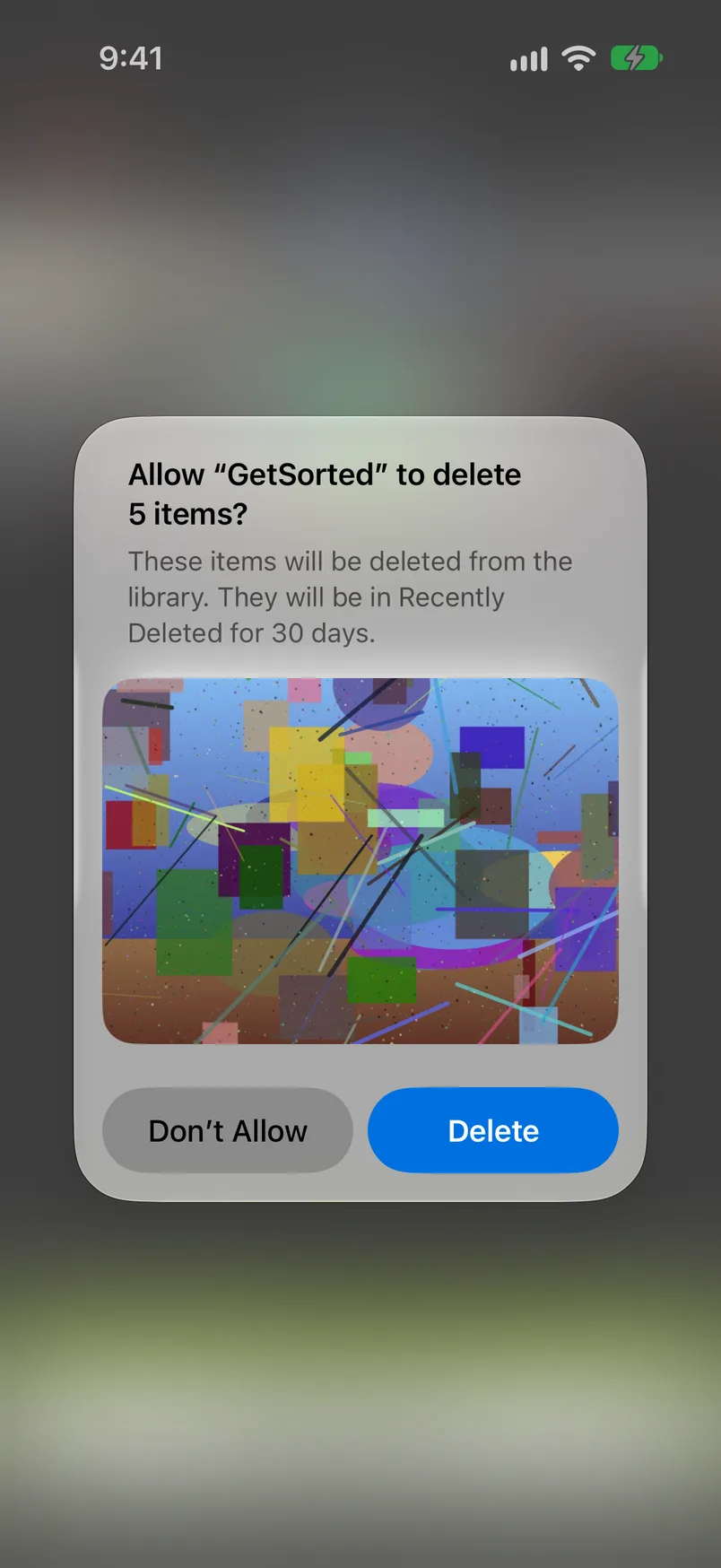
Nothing is deleted right away. In the apps that describe the step, a swipe only marks the photo, and deleting comes second: Swipewipe has a review screen (per its help page), Slidebox and Slider a trash that you empty, Picnic an Archive, Photo Cleaner ® a final confirmation, GetSorted a button for the whole month, Complete month. Clever Cleaner's listing names no separate step; it says deleted media goes to Recently Deleted.
What follows is iOS's rule, whatever the app:
- Deleted photos stay in the Recently Deleted album in Photos for 30 days. To get one back, open Photos, tap Collections, scroll down to Utilities and open Recently Deleted.
- With iCloud Photos on, a deletion applies to every device signed in to the same Apple Account.
- Storage is freed only when the photos leave Recently Deleted, after the 30 days or when you empty it (why storage is still full after deleting photos).
- Apple's one exception: if your iCloud storage is over its limit, deleted photos are removed at once and cannot be recovered.
Which swipe to delete photos apps are there for iPhone?#
Seven. For the other six, this is what the US App Store page said on 15 November 2026. "Not stated" means the listing is silent, not that the answer is no. "Ad line" is the line "Contains: Advertising" under Age Rating.
| App | Swipe | By month | Albums while sorting | Free use | Plans listed | Ad line | iPad, iOS |
|---|---|---|---|---|---|---|---|
| Swipewipe | Left deletes, right keeps | Yes | Not stated | Ads, limited swipes (developer's site) | Weekly, yearly | Shown | Yes, iOS 18 |
| Slidebox | Up trashes, down favorites (developer's site) | Yes (release notes) | Yes, one tap | Not stated | Weekly, monthly, yearly, one-time | Shown | Yes, iOS 15 |
| Picnic | Left archives, right keeps | Not stated | Yes (developer's site) | 100 swipes a day | Weekly, monthly, yearly | Shown | iPhone only, iOS 17 |
| Slider | Left trashes, right keeps | Not stated | Not stated | Not stated | Yearly | Not shown | Yes, iOS 15 |
| Photo Cleaner ® | Left deletes, right keeps | Yes | Not stated | Not stated | Weekly, monthly, yearly | Shown | Not listed, iOS 16.4 |
| Clever Cleaner | Left deletes, right keeps | Not stated | Not stated | Swipe mode: no daily limit | Weekly, one-time | Not shown | Compatibility mode, iOS 16 |
| GetSorted (ours) | Up removes, down keeps | Yes | Yes, one tap | Six months of photos | Monthly, yearly | Not shown | Yes, iOS 15 |
The table names plans, not prices. For dated prices see the best photo cleaner apps compared, free photo cleaner apps for iPhone, Swipewipe alternatives and Slidebox alternatives.
What the others do well: Swipewipe adds an On This Day view and, per its site, an Android version, Slidebox and Clever Cleaner list a one-time purchase, Picnic gives free swipes every day, Slider is the smallest download of the seven, and Photo Cleaner ®, like Swipewipe, works by month. For an app to sort photos by swiping, into albums, see how to sort photos into albums on iPhone.
What should you check before giving an app access to your photos?#
These apps ask for access to your photo library; GetSorted needs all of it. The App Store page tells you a lot first:
- In-App Purchases: which plans exist. A weekly price times 52 is what a year costs.
- Description: what is free, whether you review before anything is deleted, and whether photos are uploaded.
- Age Rating: the line "Contains: Advertising".
- App Privacy: a section "Data Used to Track You". Apple notes that developers supply these labels and that it has not verified them.
GetSorted has no ads and no account, and it does not upload your photos or videos; they are shown and compared on your device. It does send usage statistics, crash reports and purchase status to three services, listed on the Privacy page. More in are photo cleaner apps safe?
How GetSorted does it: up to remove, down to keep, one month at a time#
GetSorted is one of these apps, for iPhone and iPad. It cuts your library into months, and one rule holds throughout: a swipe marks a photo, it never deletes it.
- Pick a month on the Overview tab. It opens as a grid; tap Start sorting.
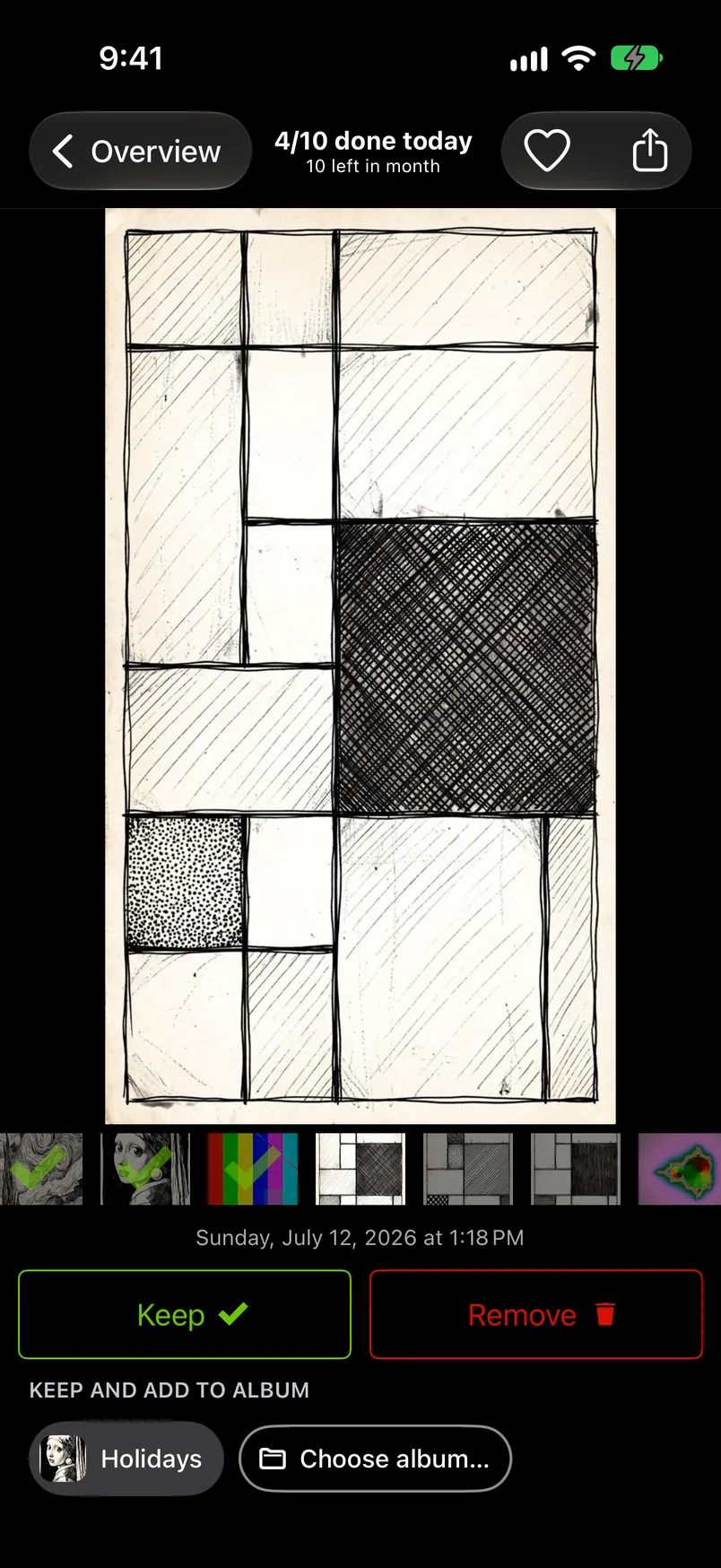
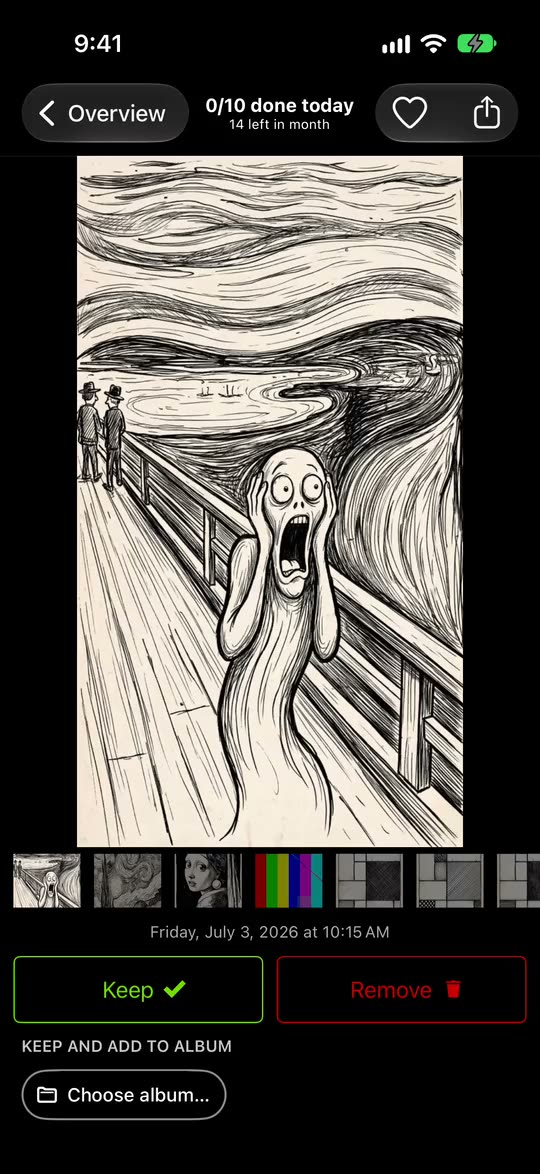
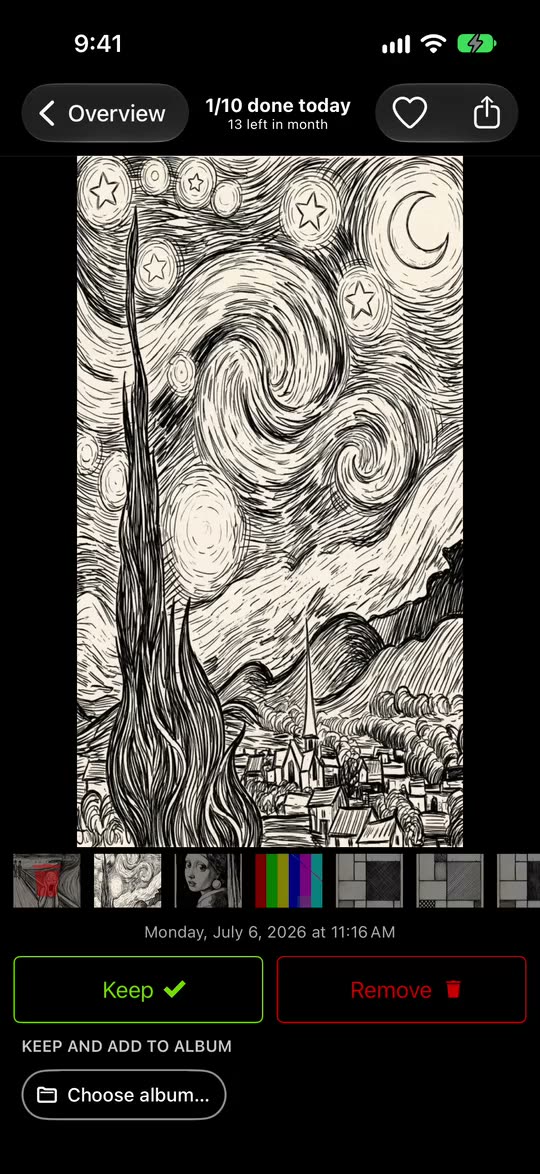
- Each photo fills the screen. Swipe up to mark it Remove, swipe down to mark it Keep, or tap the two buttons under the photo. A swipe left or right only looks around.
- Tap an album chip to keep the photo and file it in that album.
- Changed your mind? Go back to the photo and swipe the other way, or tap it in the Trash, where everything marked Remove waits.
- When the whole month is decided, tap Complete month. iOS asks you to confirm, and only then are that month's Remove photos deleted. They stay in Recently Deleted for 30 days.
The Overview also lists videos, screenshots, Live Photos and similar photos across all years. GetSorted does not find identical duplicates; the Duplicates album in Photos does.
The download is free and there are no ads. Free means six calendar months of your library, of your choice and with no time limit: six months of photos, not six months of time. Every further month needs GetSorted Plus, a subscription with a monthly and a yearly plan (what is free). There is no Android or Mac version.
Is there a free app to delete photos by swiping?#
Yes, though free means something different in each app: no daily limit in Clever Cleaner's Swipe mode, 100 swipes a day in Picnic, ads and a limited number of swipes in Swipewipe, six calendar months of your library in GetSorted. The other three listings do not say what is free.
Limits change, so read the listing on the day you download. Free photo cleaner apps for iPhone compares them with dated prices, and is Swipewipe free? covers that one app.
What is the app that lets you swipe to delete photos?
There are several: Swipewipe, Slidebox, Picnic, Slider, Photo Cleaner ®, Clever Cleaner's Swipe mode and GetSorted. In most of them you swipe left to delete and right to keep; in GetSorted, up to remove and down to keep.
Does swiping delete the photo right away?
No. In GetSorted a swipe up only marks the photo Remove. It stays in your library until you complete its month or empty the Trash and confirm the iOS dialog; after that it is in Recently Deleted for 30 days.
Is there a Tinder-style app for cleaning up the camera roll?
Yes. "Tinder for photos" is what people call a photo swipe app: one photo at a time, one swipe per decision. Picnic and Slider use the comparison in their own App Store descriptions. In GetSorted the swipe is not final: you confirm before anything is deleted.