
What is free#
Is GetSorted free? The download is free, the app shows no ads to anyone, and without paying you can clean up six months of your photo library. Those words are easy to misread: the free trial, as the app calls it, is not a period of time. It is six calendar months of your library (March 2021, for example), chosen by you: six months of photos, not six months of time. You may clean up each of them from start to finish, however many photos it holds, and there is no time limit. A month counts from the first decision in it, it counts once, whichever list you sort it from, and a month you have started stays open in every list for good.
Every further month needs a subscription: GetSorted Plus, as the App Store calls it, with a monthly and a yearly plan. What it unlocks and where you see its price is under What a subscription unlocks.
| Free | How much |
|---|---|
| Months | Any 6 calendar months of your library, from start to finish, however many photos they hold |
| Videos, Screenshots, Live Photos | Listed by month under Across all years on the Overview. A month sorted there is the same calendar month: it uses one of the 6, and a month you already started is open here too |
| Similar photos | Every month is scanned for groups. Groups in a month you have started are free; a group in a new month uses one of your 6 free months |
| Everything else | Albums, favorites, sharing, Quick Select, the Trash, the daily goal, streaks, reminders, achievements, the Progress tab with Your Stats, the practice run, iCloud sync of your progress |
Inside a month you have started every decision is free, and so is changing one later.
The six free months#
Your six free months are months of your library, such as March 2021 from start to finish, not months of use: no clock is running. A month becomes one of the 6 with the first decision in it (a Keep, a Remove, an album filing, a keep by the heart or a decision made with Quick Select); opening a month and leaving it untouched uses nothing. So pick months with many photos.
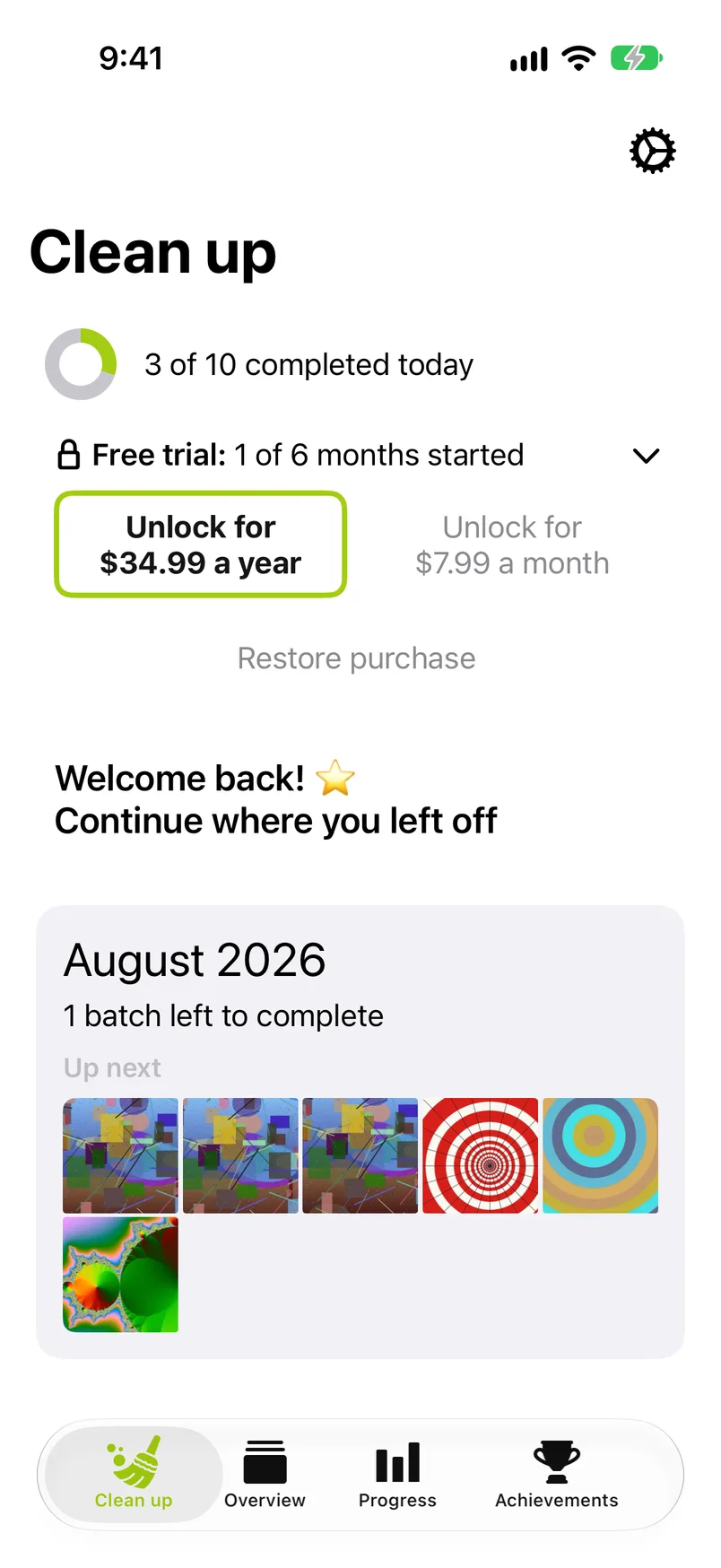
The count ("Free trial: 2 of 6 months started") shows on the Clean up tab's free trial row, above the Videos, Screenshots and Live Photos lists and in the introduction of Similar photos. Once, a note on the month grid may remind you of the rule: when you open a small month from the Overview that would be one of your last free months.
The months you have started are saved with the rest of your progress, in your own iCloud when iCloud sync is on, see Privacy.
Locked months#
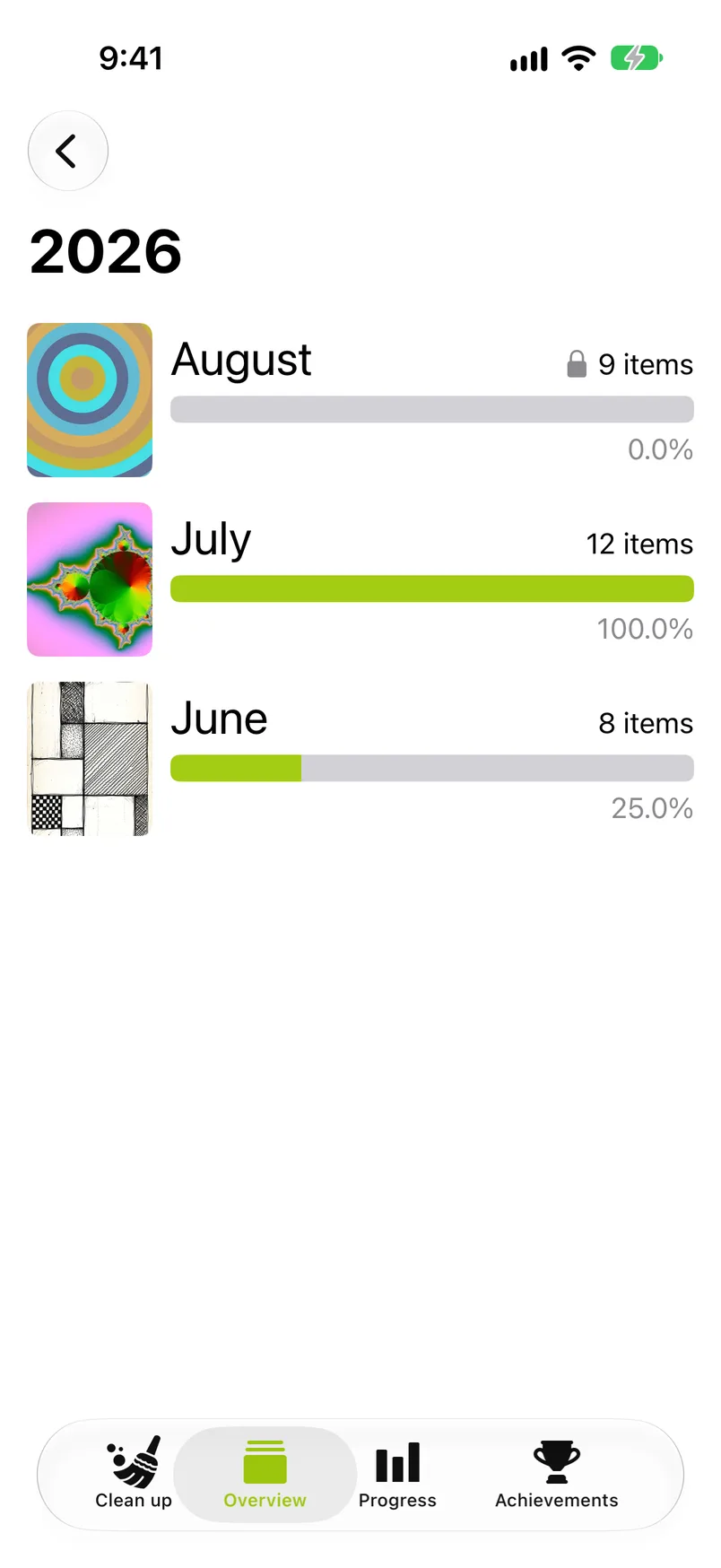
Once all 6 are started, the months you have not started carry a lock: before their count in the Overview's months and in the Videos, Screenshots and Live Photos lists, and before the month heading in Similar photos. Such a month's grid still opens, but Start sorting, a tap on a photo and the checkmark bring up the subscription screen ("Ready to keep going?"). In Similar photos a tap on a group of such a month brings up the same screen at once; the group does not open. The Next button of a finished month (Next: July 2026) leads to the same screen when the next month is locked: it then shows a lock and "unlock GetSorted to continue". Before that point the Next button says which free month the next one would be, if you have not started it yet ("starts free month 4 of 6"). The 6 months you started stay fully usable in every list, including Complete month.
What a subscription unlocks#
Every month of your library, in every list: the Overview's months, the months of Videos, Screenshots and Live Photos, and the similar-photo groups of every month. That is all it unlocks. Nothing else in GetSorted is behind it, and the app shows no ads either way.
The subscription, GetSorted Plus in the App Store, has two plans, monthly and yearly; both renew automatically. What it costs depends on your country, so this page names no price. The App Store shows the prices for your country on GetSorted's page, under In-App Purchases: GetSorted Plus is listed there twice, once for each plan, without saying which is which. The list still carries the old one-time purchase as well, under the name "Old unlock (not for sale)"; it can no longer be bought in the app. The app itself shows a plan's price before you can buy it.
GetSorted has no screen for canceling. To cancel the subscription, use the subscription settings of your Apple Account, at any time.
On the paywall after the practice the yearly plan is preselected by a switch, and the big button, Continue, starts the purchase of the selected plan; the other paywalls and the free trial row show both plans as two buttons, the yearly one first.
When a subscription ends, nothing you sorted is lost, and the months you started until then stay open in every list. Any other month is locked again while six or more months are started. GetSorted notices the end the next time it starts and can reach the App Store.
An earlier one-time purchase of the full version is still honored: it keeps GetSorted unlocked and is restored like a subscription, see Restore a purchase. It can no longer be bought in the app.
The paywalls you may see#
GetSorted shows a paywall at these moments. A completed month is celebrated once on each device, separately for each list you complete it in; the gate appears every time you try to sort in a locked month.
- After the practice run during setup. The X at the top skips it; the big button, Continue, starts the purchase of the plan the switch selects (the yearly plan unless you turn the switch off).
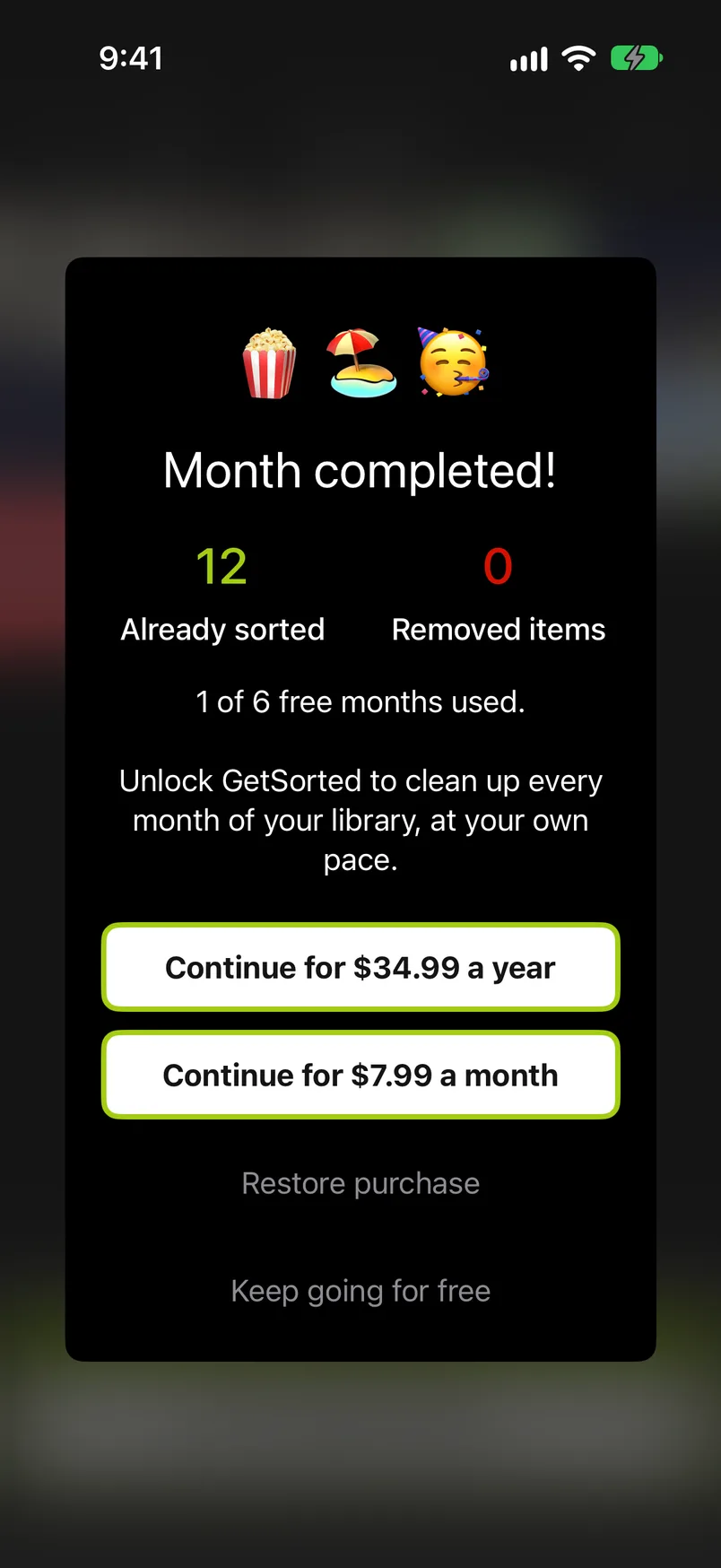
- Month completed! right after you complete a month on the free trial, with Complete month or with the last decision when nothing is marked Remove. This goes for the Overview's months and for months of the Videos, Screenshots and Live Photos lists, not for groups of similar photos. The text counts the free months you have started, the same number as on the Clean up tab: "2 of 6 free months used." While free months are left, the last button (under Restore purchase) reads Keep going for free and takes you straight to the next unfinished month, if there is one. Once all 6 are started the text adds "That was your last free month." and the button reads Maybe later; the month's summary follows.
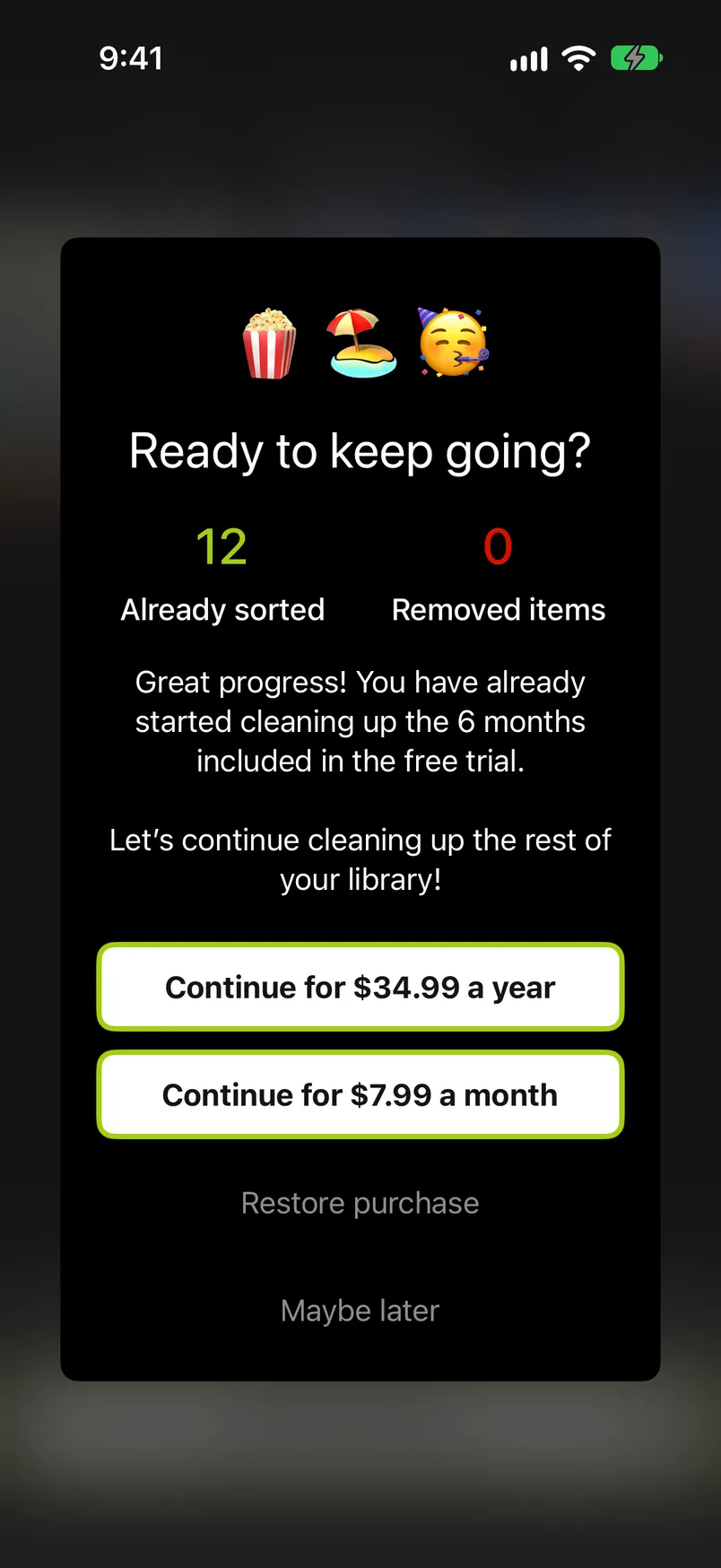
- At the gate ("Ready to keep going?"): whenever you try to sort in a month you have not started after all 6 free months are started, see Locked months. Maybe later closes it.
Month completed! and the gate use the same card: your own totals at the top (Already sorted, Removed items), then four buttons, which are the yearly plan, the monthly plan, Restore purchase and the one that closes the card. While GetSorted is unlocked, the card does not appear.
Restore a purchase#
To restore your purchase on a new iPhone, on a second device or after reinstalling GetSorted, tap Restore purchase once: the purchase belongs to your Apple Account, and GetSorted keeps the unlock on each device. The button is on the free trial row of the Clean up tab (tap the row to unfold it) and on every paywall. Settings has no restore button. Restoring checks the App Store with the Apple Account that is signed in to the App Store on the device, so sign in with the one you bought GetSorted with. If GetSorted stays locked, see the FAQ: I bought GetSorted. Why is it locked?
If you once bought the full version with a one-time purchase, that purchase is still honored: Restore purchase brings it back as well, and it keeps GetSorted unlocked.