
Organize your library
How to Organize Photos on iPhone: The Easiest Way
How to organize photos on iPhone the easiest way: let the Photos app do the sorting it already does (by date, people and places), mark your best shots as favorites and keep a handful of albums for what Photos cannot know. Thin out first, so you only organize the photos worth keeping.
Written by the makers of GetSorted. The Photos app steps were checked against Apple's iPhone User Guide for iOS 26 and iOS 27 on 15 November 2026. Where they differ, both are given.
What is the easiest way to organize photos on iPhone?#
Do less. To organize photos (or organise photos, as the UK spells it) you need no filing system: Photos already orders your library by date, groups it by person and place, and finds pictures by search. The easiest way is to add only what it cannot know:
- Thin out first (how to clean up photos on iPhone). A photo you remove is one you never have to file.
- Mark the best as favorites. They collect in Favorites, under Collections.
- Keep a handful of albums for selections only you can make: the best of a trip, photos to print.
- Leave the rest to Photos: dates, people, places, media types and search.
Can you organize photos on iPhone without another app? Yes, all of this is built in.
What does the Photos app already organize for you?#
On iOS 26 and iOS 27 the app has two views: Library, every photo in date order, and Collections, the groups Photos builds by itself plus your albums.
- By person. Tap Collections, then People & Pets. Tap a person, then Name This Person, and type the name; from then on, search finds them.
- By place. Collections has Trips, built from your photos' location data. For a map, tap Library, the Sort and Filter button, then Show Map.
- By kind. Under Collections, Media Types separates videos, selfies, Portrait photos and more.
- By search. Tap the Search button in the bottom-right corner and type a month or year, a city, a category such as beach, or a named person.
- Keywords and star ratings. Apple's guide for iOS 27 describes both; its guide for iOS 26 does not.
What Photos cannot do: decide which photos are worth keeping, and which album a photo belongs in.
How to organize photos on iPhone by date, month or year#
You do not have to: the Library is always in date order. You choose which date counts.
- Open Photos and tap Library.
- Tap the Sort and Filter button.
- On iOS 27, tap Captured or Added at the top of the list. On iOS 26, choose Sort by Date Captured or Sort by Recently Added.
Captured orders photos by the day they were taken, Added by the day they entered your library, the most recent at the bottom: an old picture you saved last week sits near the end.
- A month or a year. Swipe down on the grid and tap Months or Years. Both are curated: according to Apple they leave out similar photos, screenshots and receipts. Tap All to see every photo.
- A wrong date. Open the photo and tap the More button, then Adjust Date & Time (on iOS 27, tap Adjust Info first).
- One kind only. The Sort and Filter button also filters, for example to videos (iOS 27: the Media Types filter; iOS 26: Filter, then Videos).
How do I sort photos on iPhone by size or name? You cannot: Apple's guide describes these two date orders for the Library and no other. Inside an album you can also choose newest first, oldest first or your own order; see the order of photos inside an album.
How do you organize photos on iPhone into folders?#
A folder in Photos holds albums, not photos. So photos go into albums first: in the Library tap Select, tap the photos, then add them to an album (iOS 27: the More button, Add To, Album; iOS 26: the Share button, Add to Album). How to sort photos into albums has every step, and a one-tap way for a backlog.
Then group the albums:
- Tap Collections, then Albums.
- Tap the Add button, then New Folder.
- Name the folder and add albums. On iOS 27, tap Add Albums, select them, tap the Done button, then tap it again to save the folder. On iOS 26, tap Create.
To take an album out, open the folder, touch and hold the album and tap Remove from Folder.
Do albums create duplicates or use extra storage?#
No. An album is a list that points to photos in your library. It holds no copies, so a photo in several albums is still stored once, and Apple notes that deleting an album leaves its photos in the library. That is how to organize photos on iPhone without duplicates: add to albums as freely as you like.
Real duplicates come from elsewhere, for example from Duplicate in a photo's More menu, which puts a copy next to the original. Photos identifies duplicates by itself: tap Collections, Utilities, Duplicates, then Merge. The collection only appears when there are duplicates, and look-alikes are not in it; for those see similar and duplicate photos.
Thin out in one pass: one photo at a time, one month at a time#
Photos lets you select and delete, but Apple's guide describes no mode that takes you through the library photo by photo and records a decision for each. Sorting and deleting in one pass is what GetSorted does, on iPhone and iPad:
- Open a month from the Overview tab, which lists your library by year and month, and tap Start sorting.
- One photo fills the screen. Swipe up to mark it Remove, swipe down to mark it Keep; the two buttons do the same.
- Tap the heart on a best shot: it becomes a favorite in the Photos app and is kept.
- Tap an album chip to keep a photo and file it in that album; see how to sort photos into albums.
- When the month is decided, tap Complete month and confirm the iOS dialog. Only then are the photos marked Remove deleted, and they stay in Recently Deleted for 30 days.
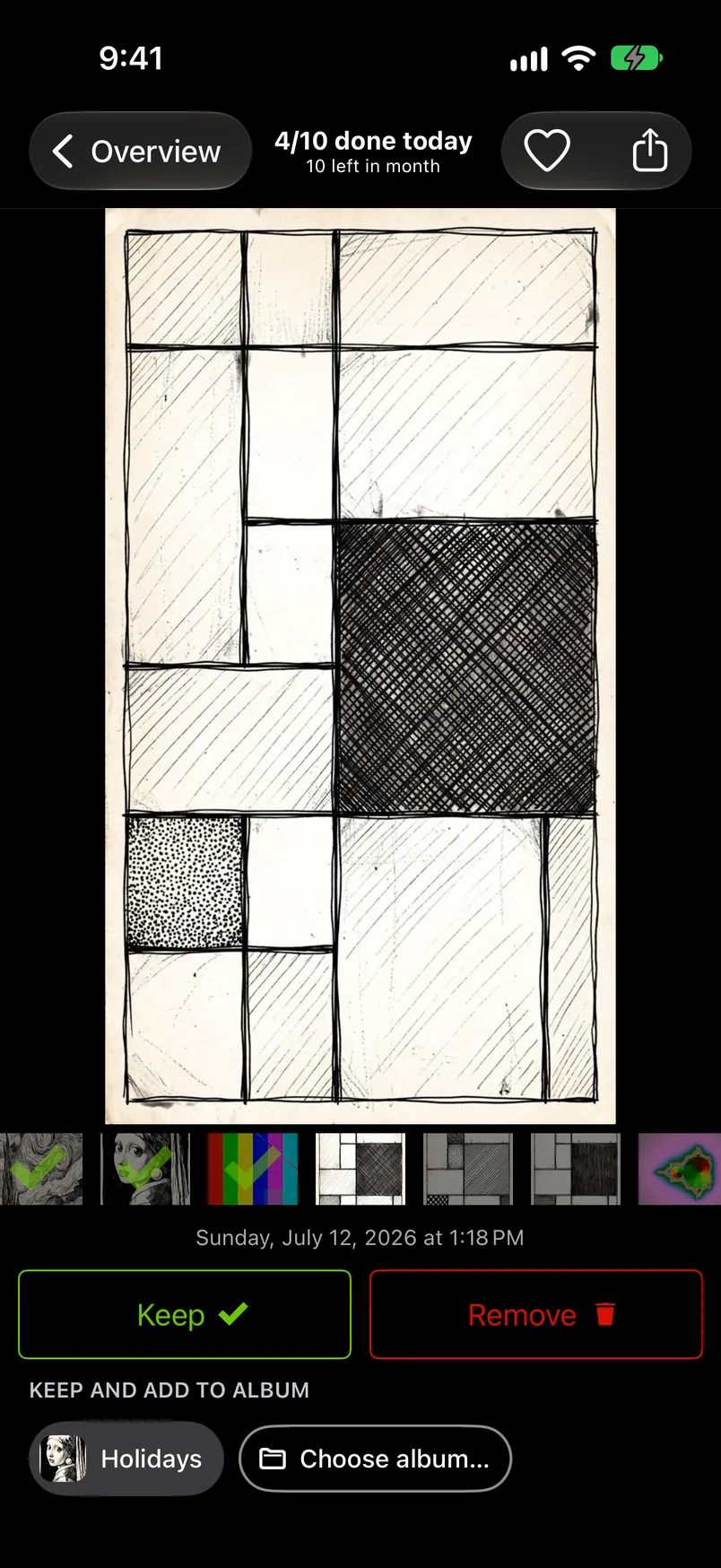
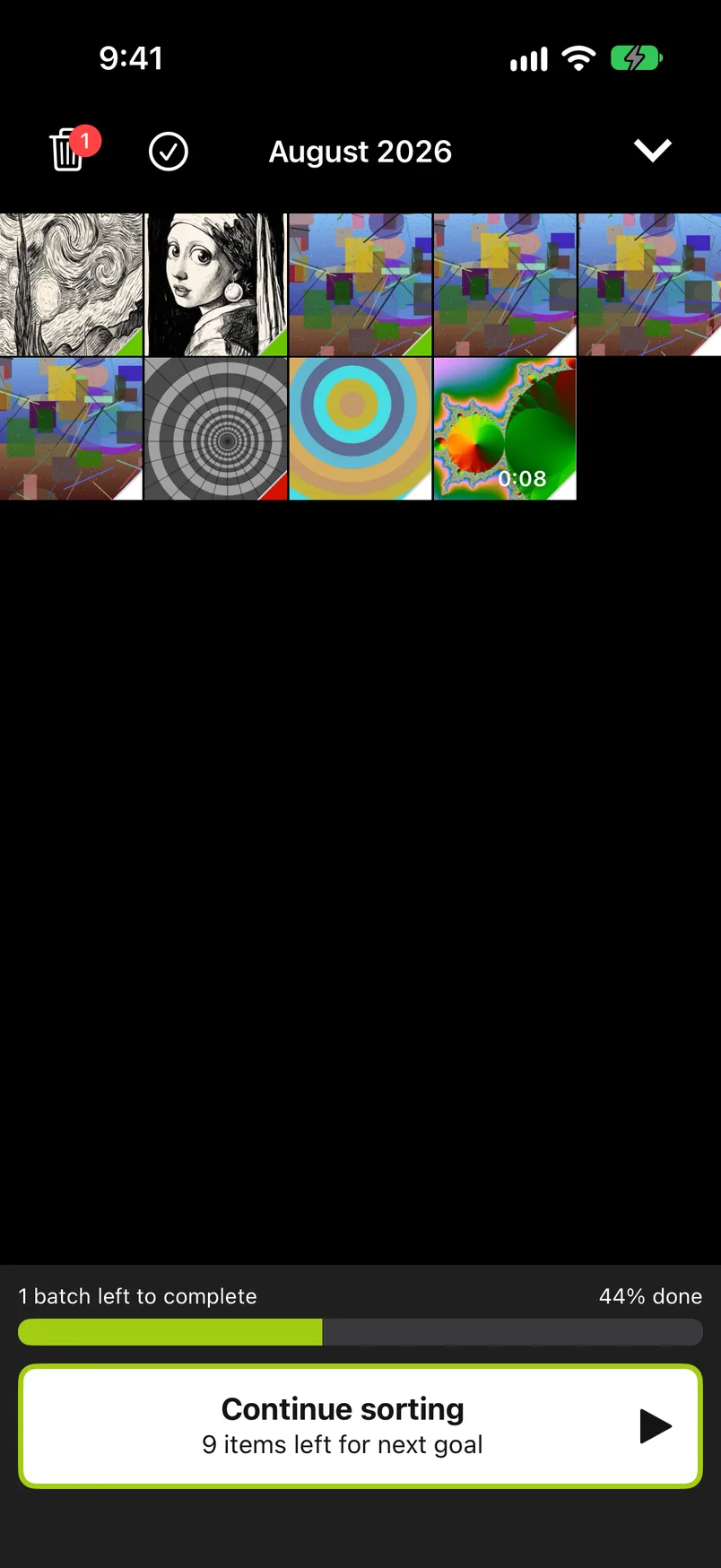
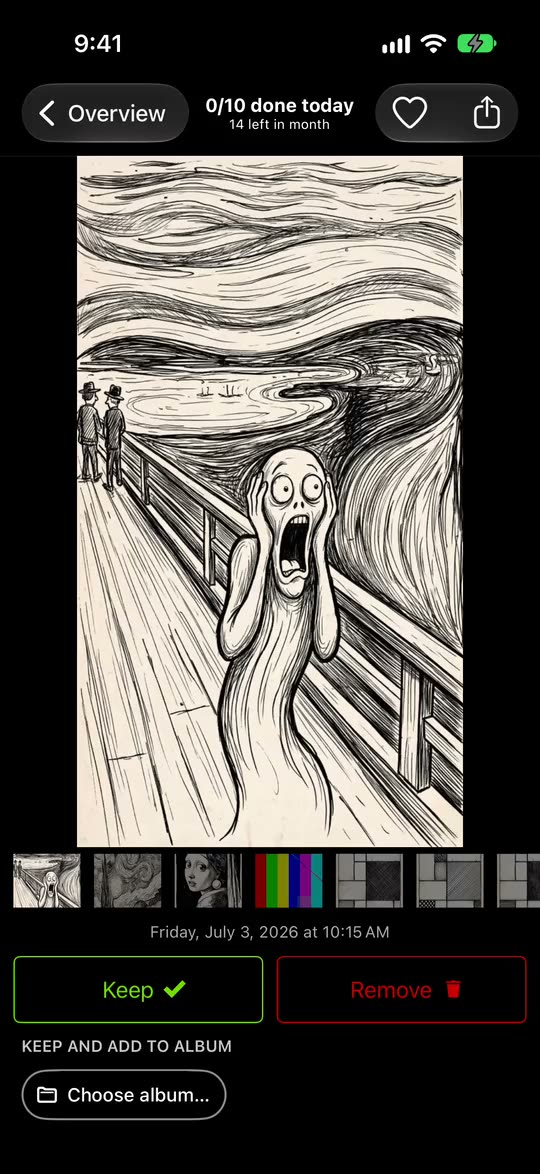
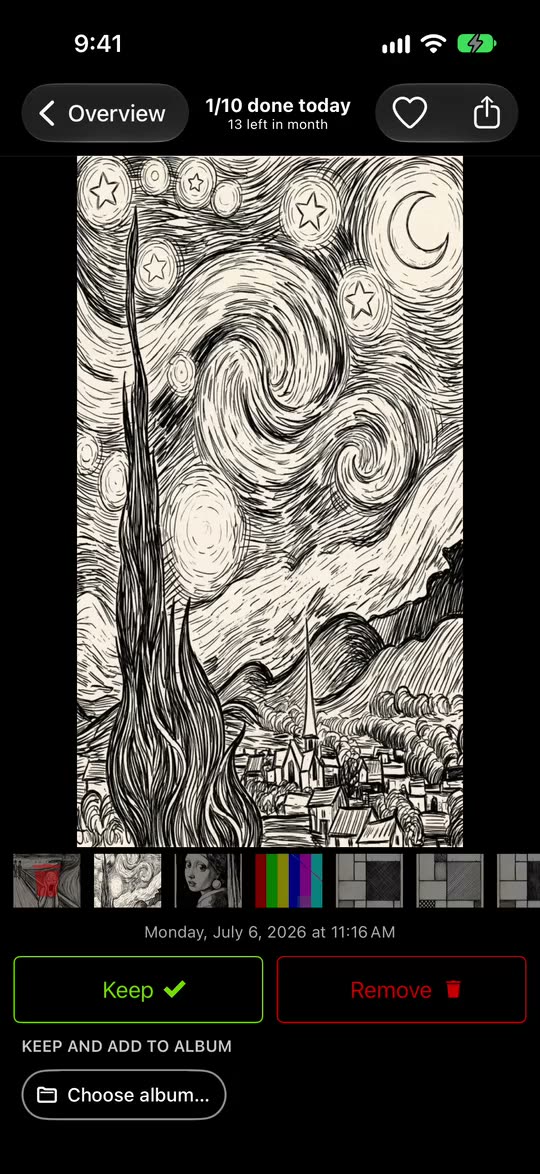
A swipe never deletes: photos marked Remove wait in GetSorted's Trash, and you can change any decision before you complete the month. For a library of many years, see how to go through thousands of photos and how to declutter photos.
What is free: the download, with no ads, and six calendar months of your library, of your choice, with no time limit (six months of photos, not six months of time). A month counts from the first decision in it. Every further month needs GetSorted Plus, a subscription with a monthly and a yearly plan (what is free).
What GetSorted does not do#
GetSorted is not a photo organizer and does not replace the Photos app:
- It has no photo search and does not recognize people or places.
- It does not sort photos into albums by itself: you tap for each one. It cannot create folders, reorder albums or delete them (the limits of album filing).
- It does not sort by size or name, and it does not change the order in which Photos shows your library.
- It does not find identical duplicates; Duplicates in Photos does.
It works on the same library as Photos, so its results show up there: favorites, albums, and the photos that are gone. Searching, browsing and sorting stay with Photos; for apps that do more, see photo organizer apps for iPhone.
What is the easiest way to organize photos on iPhone?
Let the Photos app do what it already does: date order, people, pets, trips and search. Add favorites for your best shots and a handful of albums, and thin out first so you only organize what you keep.
How can you organize iPhone photos by date?
The Library is always in date order. Tap the Sort and Filter button to choose between the date taken and the date added, then swipe down and tap Years or Months to jump to a time.
Is there an automatic way to organize iPhone photos into albums?
Not into your own albums. Photos fills its own collections, such as People & Pets and Trips, but Apple's iPhone guide describes no album that fills itself. In GetSorted you choose too, with one tap per photo.
Do iPhone albums take up extra storage space?
No. An album is a list that points to photos in your library, so a photo in three albums is still stored once. Deleting an album leaves its photos in the library.
Should I organize photos into albums or just use search?
Both, for different jobs. Search and People & Pets find photos by what Photos can recognize: dates, places, named people, categories such as beach. An album holds a selection only you can make, so a handful is enough.