
Is anything deleted while I sort?#
No. A swipe never deletes: swiping up only marks a photo Remove. Photos leave your library when you tap Complete month on the month grid, or Delete 12 Items in the Trash, and confirm the iOS dialog. Until then a photo marked Remove waits in the Trash, and you can change any decision by opening the photo again and swiping the other way, or by tapping it in the Trash.
Where do deleted photos go on iPhone, and how long do they stay in Recently Deleted?#
To the Recently Deleted album of the Photos app, where iOS keeps them for 30 days before deleting them for good. With GetSorted that takes two steps: a photo you mark Remove stays in your library and waits in GetSorted's Trash, and only when you complete its month or delete from the Trash does it move to Recently Deleted. One exception comes from Apple: if your iCloud storage is over its limit, deleted photos are removed at once and are not kept in Recently Deleted.
To bring a photo back within the 30 days on a recent iOS version, open Photos, tap Collections, scroll down to Utilities › Recently Deleted, select the photo and tap Recover. GetSorted does not show what is in Recently Deleted and cannot recover photos itself. More under Recently Deleted.
What is the Trash?#
The Trash is GetSorted's list of everything you marked Remove and have not deleted yet, from every month and every list. The photos in it are still in your library; it is not the Recently Deleted album of the Photos app. Tap a photo to keep it after all. Delete 12 Items deletes them all after one iOS confirmation, and then they are in Recently Deleted for 30 days.
The Trash opens from the trash button on a month grid and from the items to delete card on the Clean up tab. If you knew Apply Now from an earlier version: the Trash takes its place. Everything else is on the page The Trash.
Why does the trash button show a number when I marked nothing in this month?#
Because the button counts your whole library, not the month on screen. It counts every photo marked Remove and not deleted yet, also those you marked in other months, in the Videos, Screenshots and Live Photos lists, in groups of similar photos and on your other devices that sync through iCloud. (The number itself shows on iOS 26 or later.) Tap the button to see them all in the Trash; more under The trash button.
Why is my iPhone storage still full after deleting photos?#
Because deleting does not free the space at once. Deleted photos stay in Recently Deleted in the Photos app for 30 days and keep taking space until then: storage is freed only when Recently Deleted is emptied or the 30 days are over. To get the space back sooner, empty Recently Deleted in Photos. That step is final: what you delete there cannot be brought back.
Check also that the photos were deleted at all. A photo you only marked Remove is still in your library and waits in the Trash until you complete its month or delete from the Trash.
This is why GetSorted says "waiting in Trash" and "removed" where it shows sizes, and why Freed on a month's summary is what the deleted photos took, not space you already have back. See Storage.
How do I give GetSorted access to my photos after tapping Don’t Allow?#
Tap Allow access to all photos on the welcome screen again. During setup GetSorted stays on that screen until it has access to all photos. If you chose Don’t Allow or a limited selection, GetSorted answers the tap by saying that access to all photos is required and then opens its page in the Settings app, where you choose Photos and Full Access. Back in GetSorted, tap the button once more. You can also get there yourself: Settings app, Apps › GetSorted › Photos.
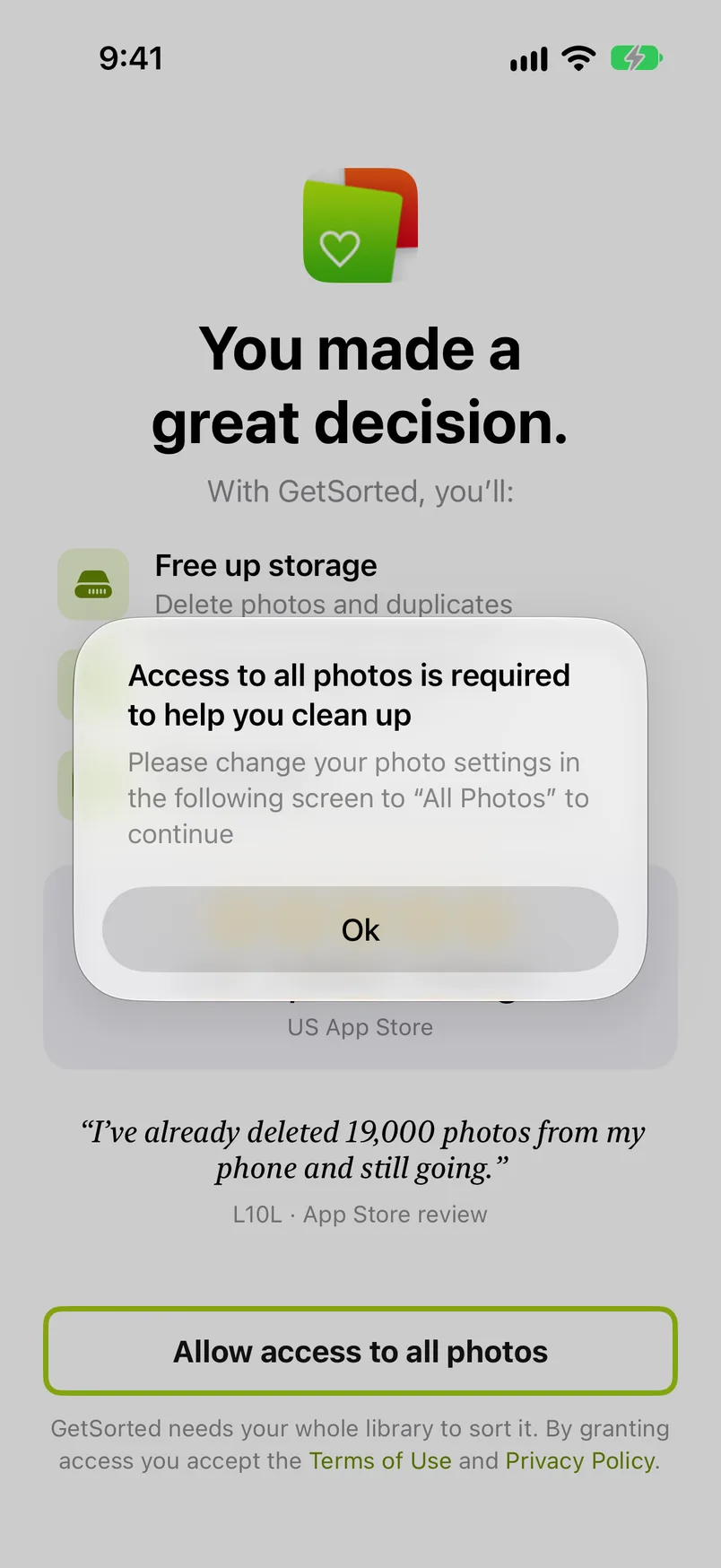
If you take access away later, GetSorted returns to the welcome screen. If you switch to limited access later, GetSorted keeps running, but the album chips make way for a note asking for the whole library; choose Full Access again. On a supervised device (a work or school phone) GetSorted says "Photo library not accessible", and the administrator has to allow photo library access first. Why GetSorted needs the whole library is in Getting started.
Why is a month I completed back?#
For one of three reasons:
- A photo of that month is marked Remove again, in the month itself or in a Videos, Screenshots, Live Photos or Similar photos list. The month is back on the Clean up tab until you complete it again, delete the photo from the Trash, or keep the photo.
- A removed photo came back, restored from Recently Deleted or brought back from another device. It is in your library again, undecided.
- New photos landed in an old month. A photo you saved from a message or imported from a camera keeps the date it was taken, so it belongs to that month, not to today.
In the last two cases the month's bar in the Overview is no longer full. Open the month there (Everything, the year, the month) and decide the new photos; the rest of the month keeps its decisions.
You can also sort a month again on purpose: open it from the Overview (Recently completed, or its row under its year) and change any decision. More under After a completed month.
Why does a month show a lock?#
Because all 6 of your free months are started (or your subscription has ended). Without a subscription you can clean up 6 months of your library, of your choice: six months of photos, not six months of time. Once 6 are started, the months you have not started show a lock, and sorting in one brings up the subscription screen ("Ready to keep going?"). The Next: July 2026 button of a finished month shows a lock too when the next month is locked. The 6 months you started stay open in every list. A month counts as started with the first decision in it, and it counts once, whichever list you sort it from. More under Locked months.
Why are photos blurry in GetSorted, or why do I see "No preview available on this device"?#
In both cases GetSorted is still waiting for the picture itself.
A photo that looks blurry is a quick preview of it. GetSorted shows the preview first and swaps in the sharp picture as soon as iOS has loaded it. If the original is stored only in iCloud, iOS may have to download it first, so on a slow connection or offline the photo can stay blurry.
"No preview available on this device" means one of two things. Either GetSorted knows the item from another of your devices (your progress syncs) while the Photos app has not brought the item itself to this device yet, or it is a video that could not be loaded just now, for example one stored in iCloud while you are offline.
Either way a good connection helps: give the Photos app a moment on Wi-Fi.
Before Complete month or the Trash deletes, GetSorted asks what to do with marked items that are not on this device: Discard unavailable items drops GetSorted's records of them, Keep showing unavailable items leaves them marked. If the message keeps coming back for photos that no longer exist, Settings › Manage app data › Discard all unavailable items cleans GetSorted's own records; it never touches your photo library. See Manage app data.
Why is my progress not on my other device?#
Check two things: that the conditions for sync are met, and that the other device has had time to catch up. Progress syncs through your private iCloud when iCloud Photos is on, on both devices, with the same Apple Account. Settings › iCloud shows the sync status and what is still pending; the first sync of a large library can take a while and goes faster while the app is open. Changes from another device arrive while GetSorted is open: open it on the device that is behind and give it a moment. See Settings › iCloud and iCloud sync of your progress.
Why did the daily goal not count today?#
Because only the first decision on a photo counts. Opening a sorted month and flipping decisions does not add to today's count. Counted: a first Keep or Remove by swipe, button, album chip, Quick Select or the heart, on any of your devices that sync through iCloud. Not counted: a changed decision, a photo taken back out of the Trash, the practice run. Also check the date: the day changes at midnight in your time zone. More under Today's goal.
Why was the photo kept when I tapped the heart?#
Because the heart does both: it makes the photo a favorite in Photos and keeps it, without moving on, so you can still add it to an album. That also goes for a photo you had marked Remove. Taking the heart off again does not change the decision; to remove the photo after all, swipe it up or tap Remove. In earlier versions the heart only set the favorite. More under Favorites and sharing.
I bought GetSorted. Why is it locked?#
Because the unlock is kept on each device: on a new iPhone or iPad, and after deleting and reinstalling GetSorted, the app does not know about your purchase by itself. Tap Restore purchase on the Clean up tab's free trial row (tap the row to unfold it) or on any paywall, signed in to the App Store with the Apple Account you bought it with. The subscription belongs to your Apple Account, so it covers all your devices; tap Restore purchase once on each. A one-time purchase of the full version from before the subscriptions is restored the same way.
If GetSorted answers that no purchase was found, check which Apple Account is signed in to the App Store and whether your subscription is still running; if it could not verify the purchase, try again later. Settings has no restore button. More under Restore a purchase.
How do I cancel my GetSorted subscription?#
In the subscription settings of your Apple Account, not in GetSorted: the app has no button for it. Until the end of the period you paid for, everything stays unlocked. After that nothing you sorted is lost and the months you started stay open; the other months are locked again once six months are started. More under What a subscription unlocks.
Why does GetSorted say it is updating?#
Because it is rebuilding its index of your library. Updating GetSorted appears after an update from a much older version or after Settings › Manage app data › Re-create local database. Wait a few seconds without leaving the app, and the screen closes by itself.
Two more screens can appear when GetSorted starts:
- Activating iCloud Photos: you switched iCloud Photos on. When it is done, tap Restart GetSorted.
- iCloud Photos no longer available: iCloud Photos is off or incomplete. GetSorted offers two ways forward: put all photos back into iCloud Photos, or use Settings › Manage app data › Disable iCloud features.
If GetSorted reports a Startup error, restart the iPhone; if it comes back, use Re-create local database. The index is only GetSorted's bookkeeping, your photos are not involved. See Manage app data.
Why does Progress say "about" in front of the storage figure?#
Because part of that figure is an estimate. GetSorted measures what removed photos took only at the moment it deletes them, on the device that deletes them; everything else counts at an average size, for example photos you removed on another device. Whenever any part is an estimate, the card says "about" and "Partly estimated". Every case is listed under Storage.
The other sizes GetSorted shows are approximate in the same way, and they lean low when originals are stored only in iCloud: the items to delete card, Freed on a month's summary, the library size in Your Stats.
My question is not here. How do I contact support?#
By email. Settings › Contact via email opens a message to the developer; if you cannot get that far, write to support@sorted.app. The draft already contains your app installation ID and a note that sending it is optional. The ID identifies this installation of GetSorted and says nothing about your photos. More under Contact and links.