
The Progress tab#
The screen is titled Progress and has two sides, switched under the title: Your Progress and Your Stats. Your Progress is a column of cards. The first, Today, holds the goal ring with today's count inside it, the count against your daily goal ("37 of 50") and your current streak. Below it come the storage card (next section) and four count cards:
- Total items sorted, with the share of your library that has a decision ("Total progress: 3.57%").
- Removed items; while anything is still waiting in the Trash, the card adds how many ("(+12 pending)").
- Last 7 days and Last 30 days, each with a daily average ("about 5 a day").
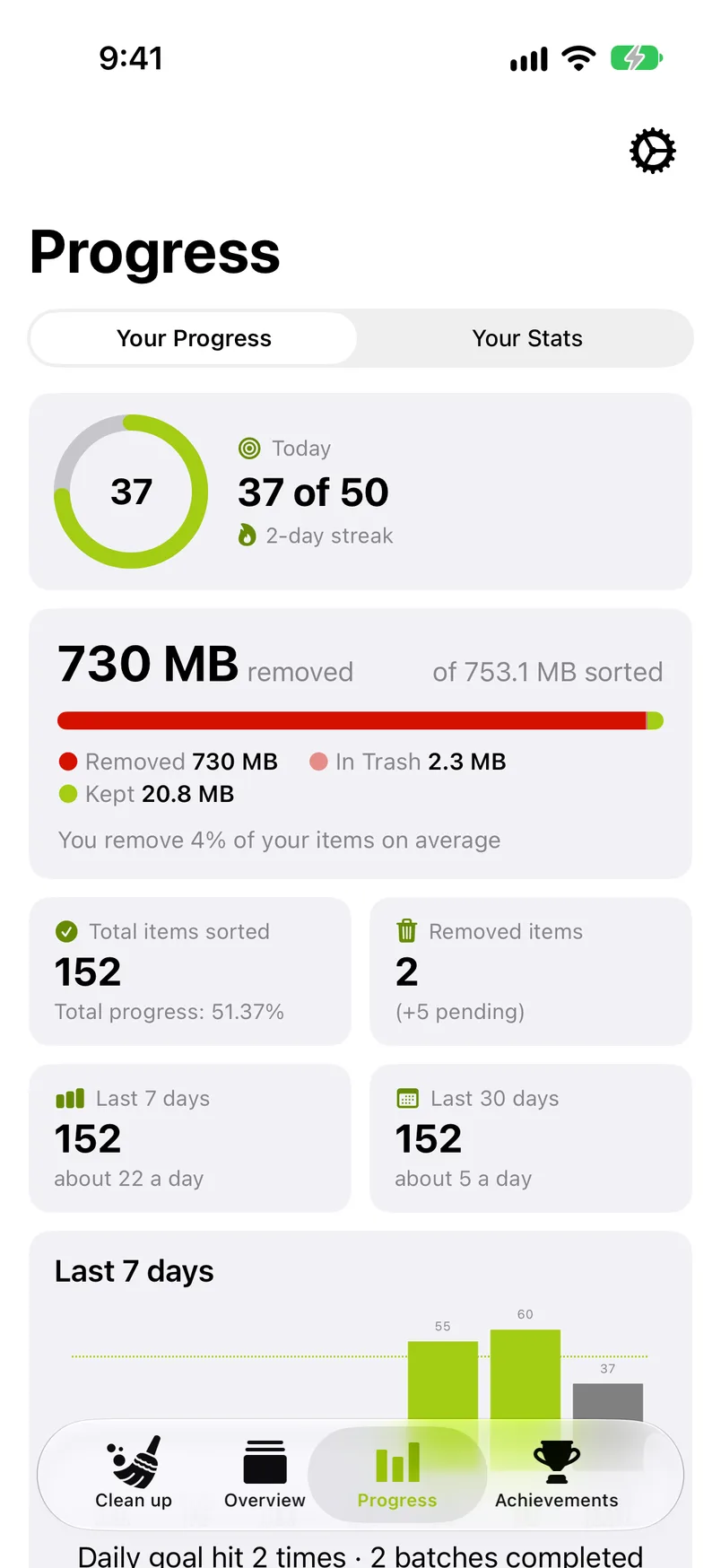
Under the count cards, the Last 7 days chart shows one bar per day and, underneath, how often you hit the daily goal that week and how many batches you completed. The streak calendar closes the column.
Storage#
The storage card, right under Today, shows how much storage the removed photos and videos took. It reads, for example, "7.5 GB removed" and "of 12 GB sorted", above a bar in up to three parts: Removed, In Trash (marked Remove and not deleted yet; this part is there only while something waits in the Trash) and Kept. Sorted is the three together: removed, in the Trash and kept. Under the bar the card says what share you remove: "You remove 42% of your items on average".
The removed figure is measured where it can be and estimated where it cannot. GetSorted measures what an item takes on this device at the moment it deletes it. Everything else counts at an average size: items removed with an earlier version of GetSorted or on another device, items whose size could not be read, and items that had a decision and then left your library some other way, for example a photo you deleted in the Photos app after sorting it. Removed therefore means: the item had a decision in GetSorted and is no longer in your library. Whenever any part is an estimate, the card reads "about 7.5 GB removed" and adds the note "Partly estimated: items removed before this version, or on another device, count at an average size." That is also the case when GetSorted cannot read the size of kept items or of items in the Trash on this device, for example because their originals are stored only in iCloud. Until the sizes are measured, the card shows a dash.
Removed is not the same as storage freed. What GetSorted deletes goes to Recently Deleted in the Photos app and keeps taking space there for 30 days. iOS frees the storage after that, or sooner if you empty Recently Deleted yourself; see Recently Deleted and the FAQ entry Why is my iPhone storage still full after deleting photos?
Your Stats#
Your Stats, the second side, shows your library in numbers at any time. These are the numbers of the library stats screen you saw during setup, now with how much of each kind you have sorted. The side opens with the headline "You have 24,318 photos and videos:" and four cards: Photos, Videos, Screenshots and Selfies. Each card says how many of that kind you have sorted ("1,204 sorted") above a thin bar; the Videos card keeps the total length of your videos.
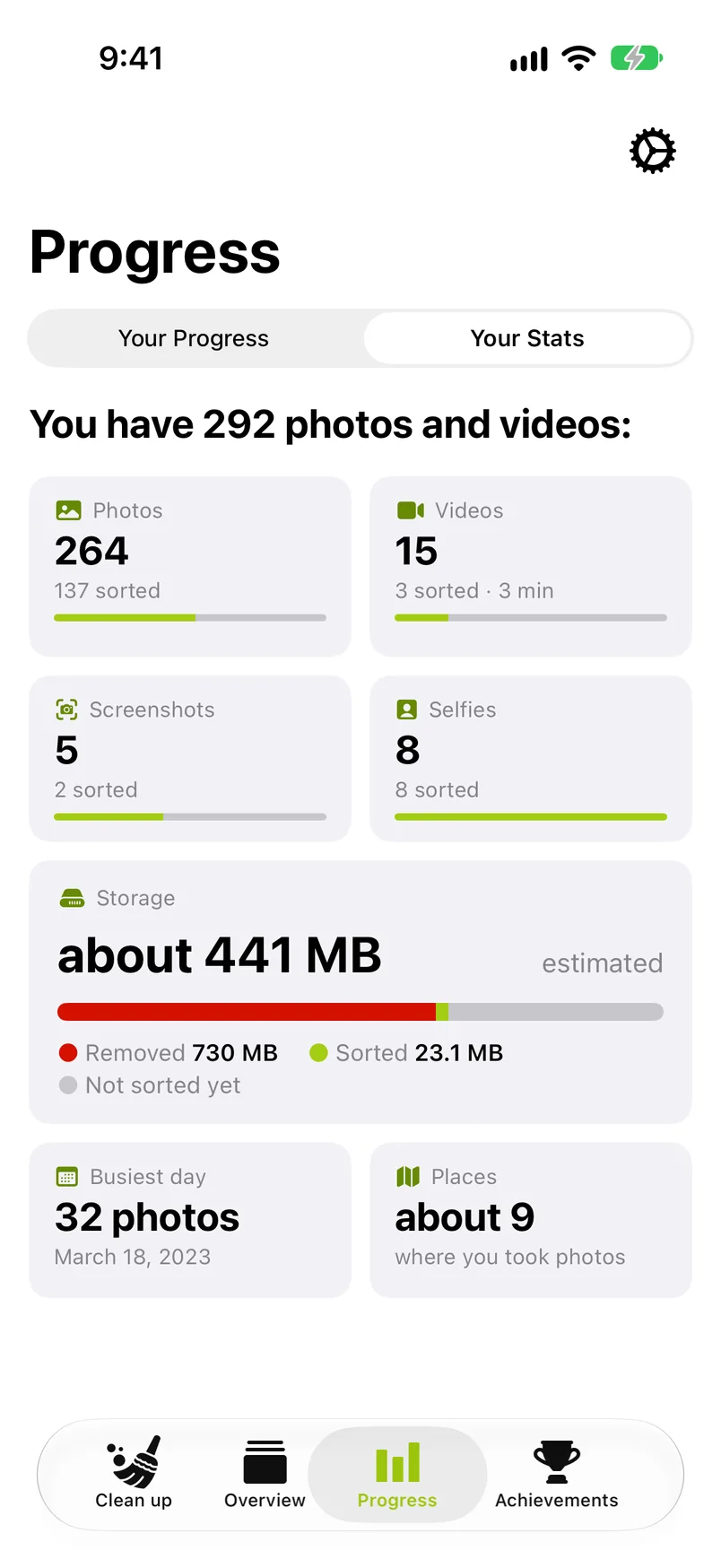
A Storage card follows with the library's estimated size ("about 12 GB", marked estimated) and a bar of Removed, Sorted and Not sorted yet. Then comes a tile for every fact your library qualifies for: Favorites; one of Live Photos, Portraits, Panoramas or Bursts (the kind you have most of); Busiest day; Busiest month; Most photos on (a weekday); Night owl; and Places.
Everything is counted on your device. The numbers are read again when you open this side and the last count is more than 10 minutes old. What GetSorted reports about how the app is used is listed under Privacy.
Streaks#
A streak is a run of consecutive days on which you reached your daily goal. The calendar fills every day the goal was reached with a lime circle and a check. A day on which you sorted something without reaching the goal gets a gray circle, and today is outlined in green. The lines above the calendar show the current streak ("5-day streak") and your longest one ("Longest streak: 12 days"). While no streak is running, the first line reads "No streak yet", and before your first streak the second line says how to build one. The current streak also shows on the Today card. Use the arrows to look at earlier months.
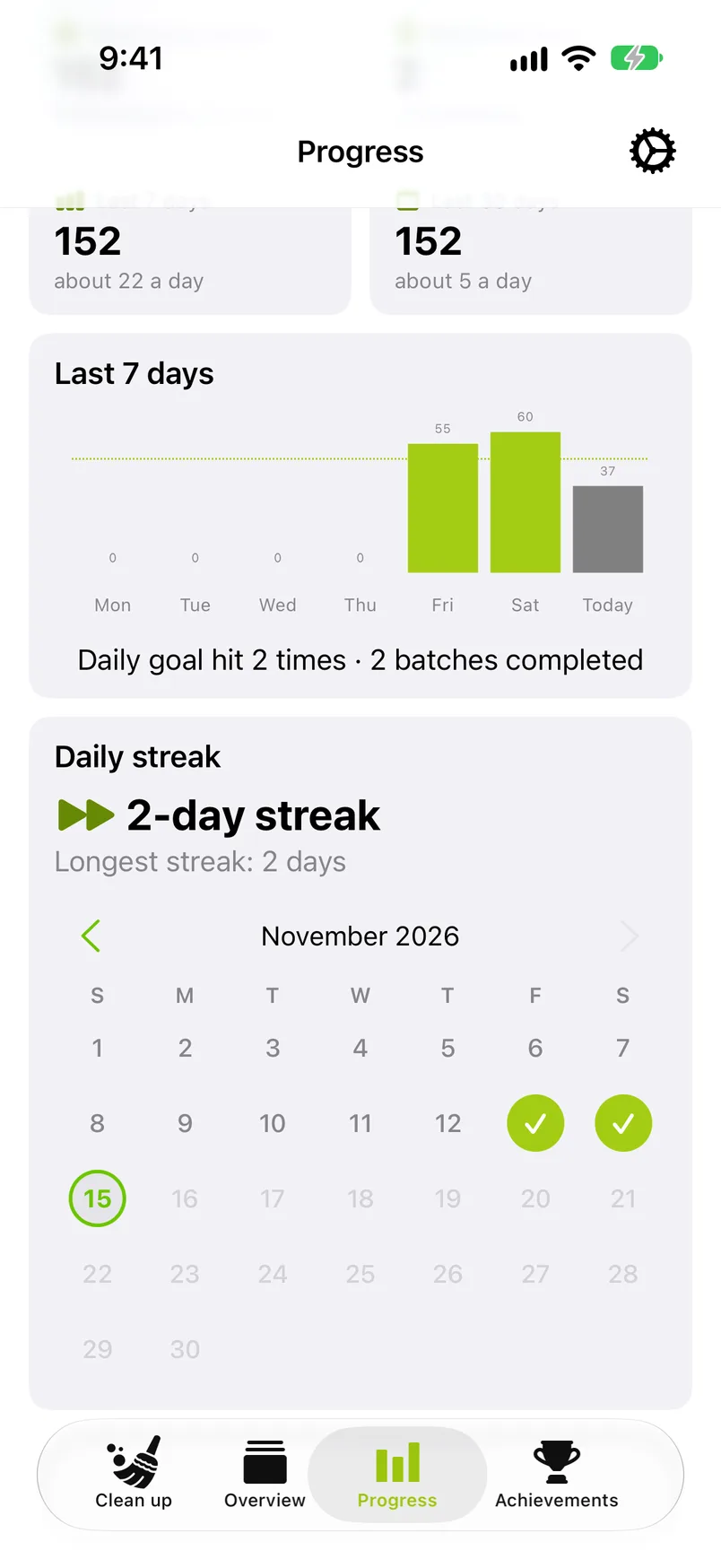
A streak counts days, not photos: a 10-photo goal reached every evening builds the same streak as a 100-photo one. A streak stays alive while today is unfinished: until today's goal is reached, the run that ended yesterday still counts. If you miss a day, the streak starts over at the next goal reached; your longest streak stays on record.
The Achievements tab#
Achievements are the 20 milestones GetSorted celebrates, in three sections:
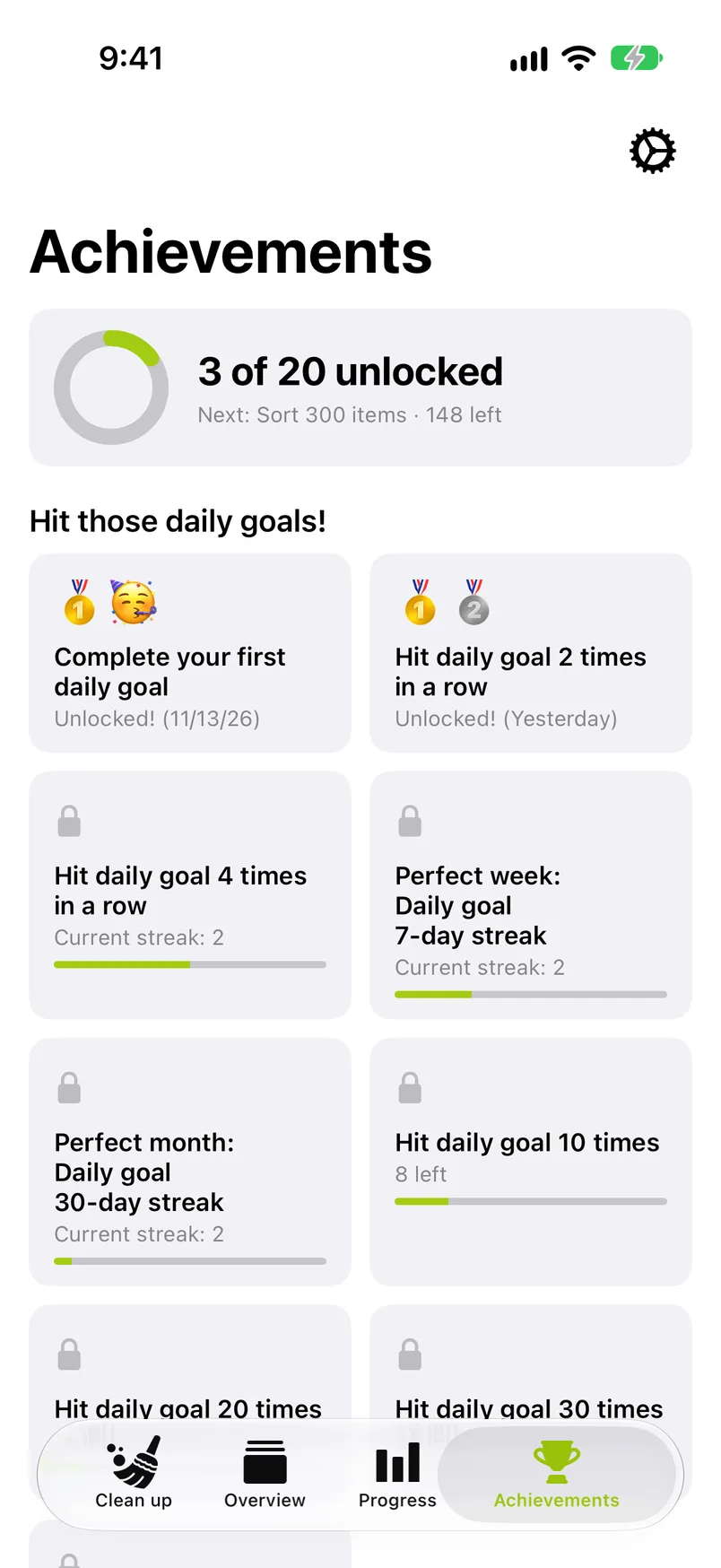
- Hit those daily goals! Your first daily goal, 2 and 4 in a row, a perfect week (7 in a row), a perfect month (30 in a row), and 10, 20, 30 and 50 daily goals in total.
- From start to finish: "First month sorted", "3 months sorted", "Half a year sorted" and "One year sorted".
- Time to clean up! 100, 300, 500, 1,000, 2,000, 3,000 and 5,000 items sorted.
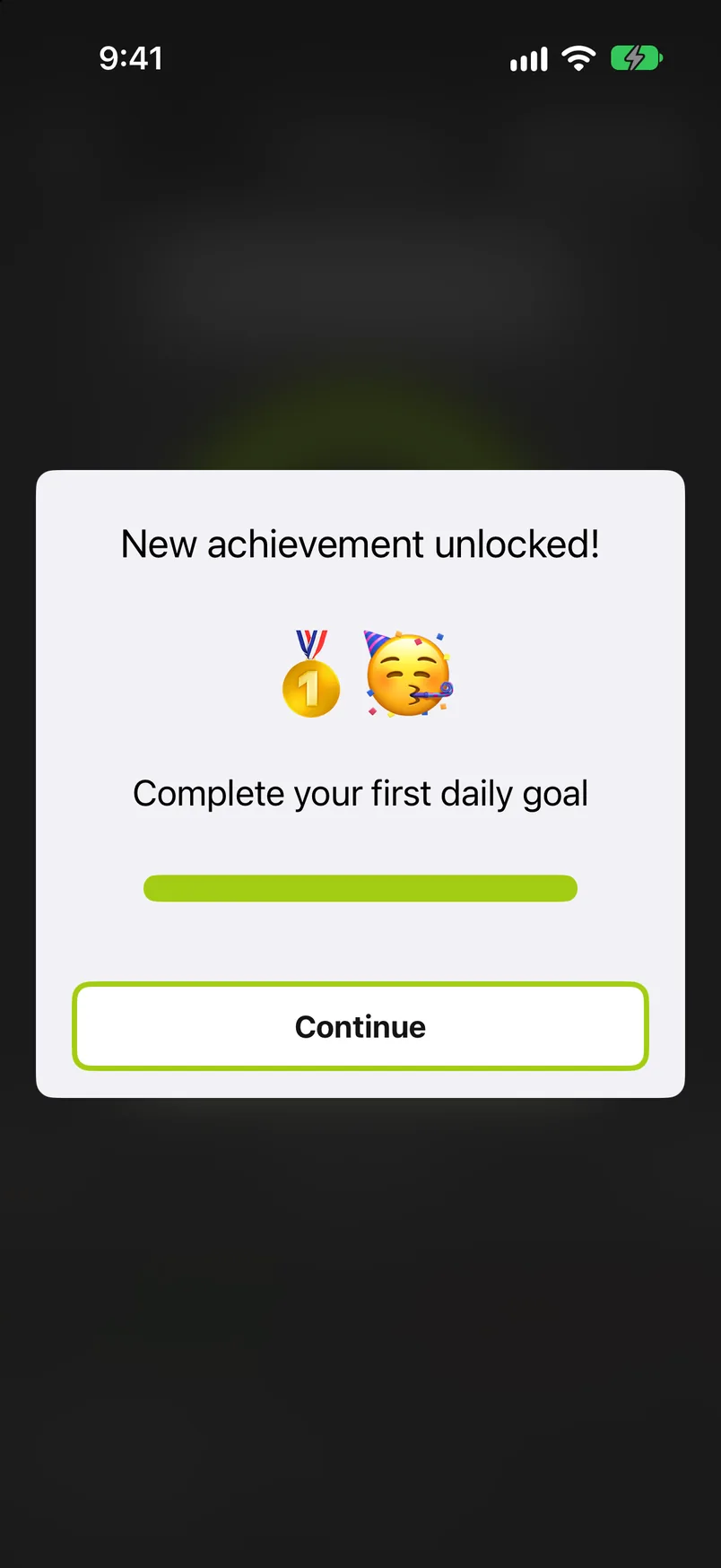
A summary card at the top shows how many you have unlocked ("9 of 20 unlocked") and the one you are closest to ("Next: 3 months sorted · 1 month left"). Each achievement is a card, two per row. A locked one shows a padlock, what it takes, what is left (for the goals in a row: your current streak) and a thin bar; once you have it, it shows its emoji and when you unlocked it ("Unlocked! (Today)"). The moment you unlock one, a card pops up: "New achievement unlocked!"
History#
Progress and achievements are kept on the device and, when iCloud Photos is on, synced through your private iCloud, so an iPad and an iPhone with the same Apple Account share one history. See Privacy. The storage card is the exception: its measured part is kept on this device only, so two devices can show different storage figures. Changing the daily goal in Settings re-evaluates past days against the new goal, so the streak calendar can change with it.