
Today's goal#
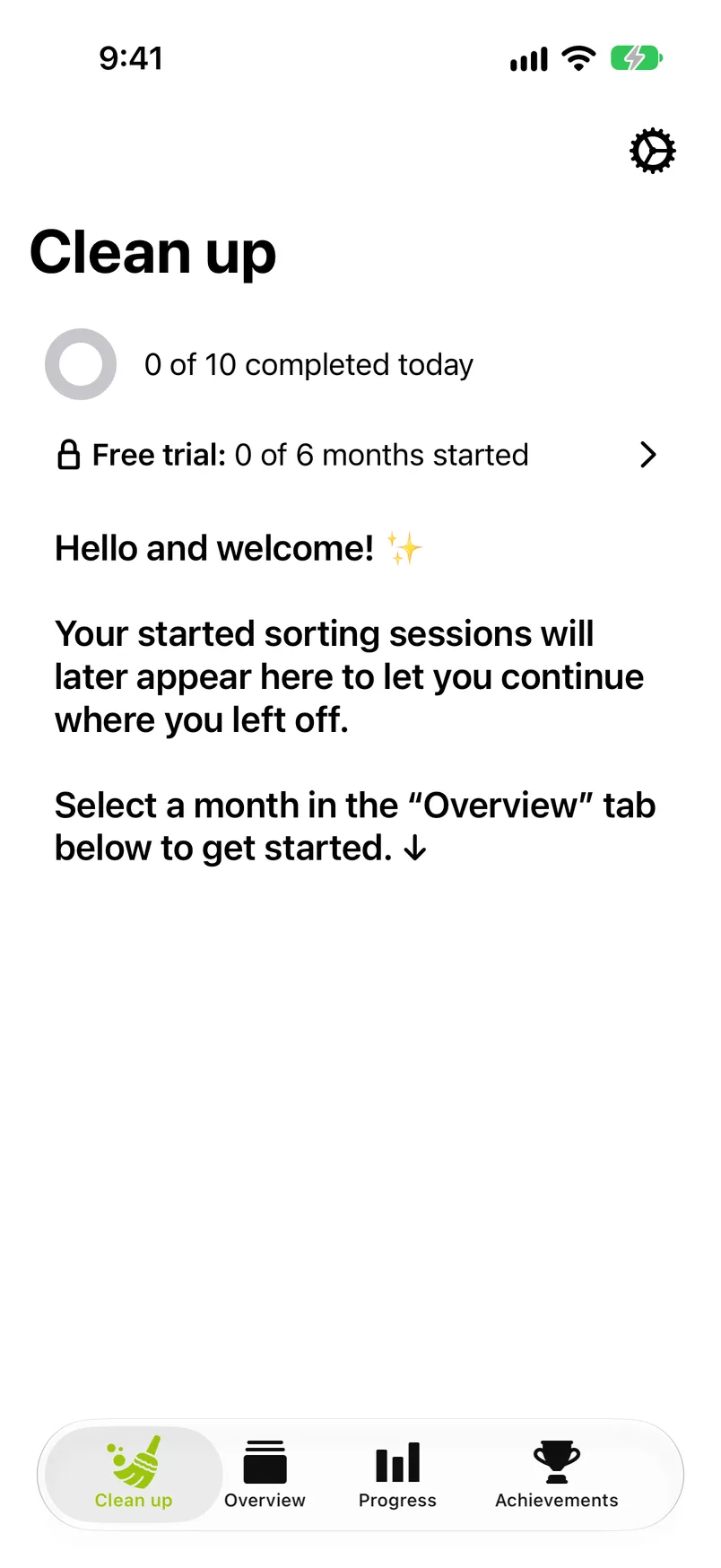
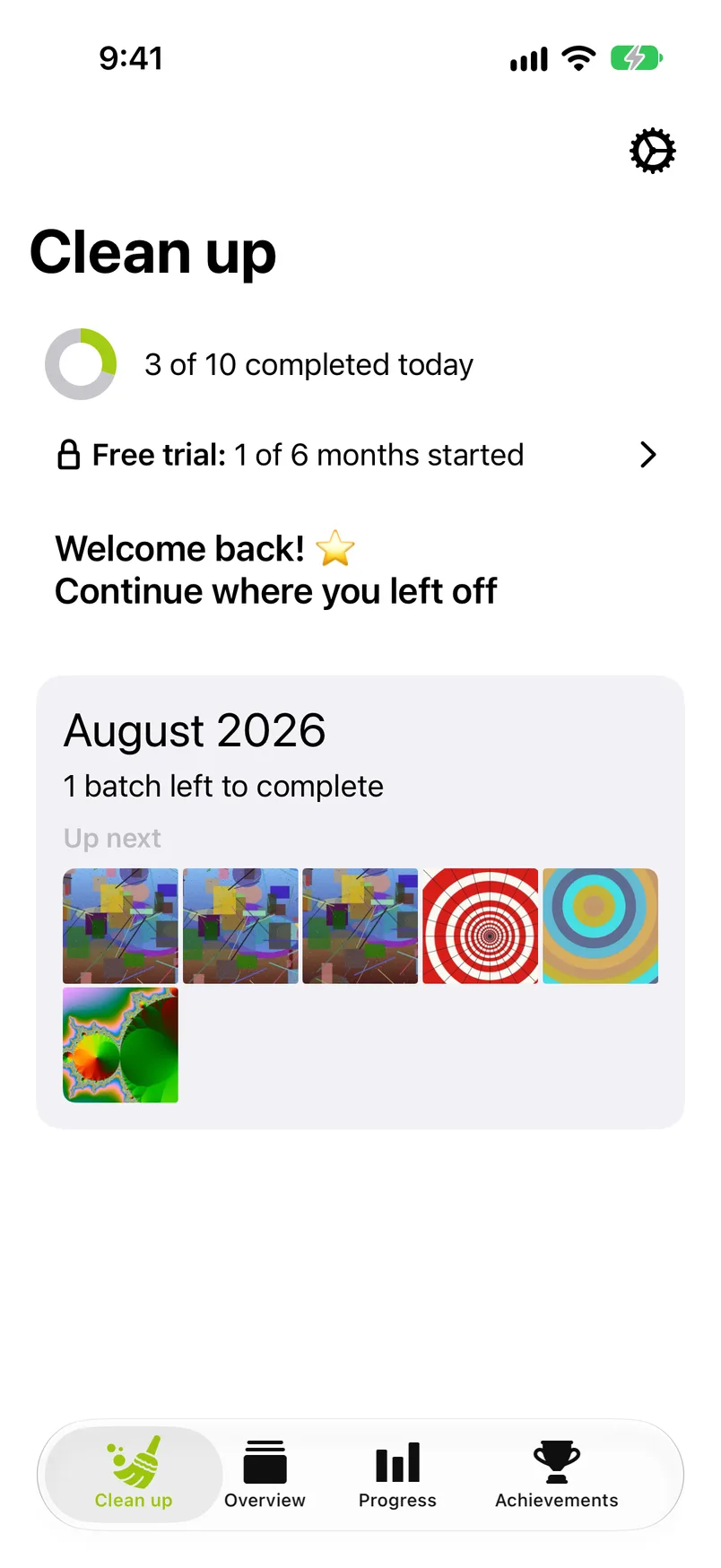
The ring at the top counts the photos you sorted today against your daily goal ("3 of 10 completed today"). Every Keep, Remove and album filing counts, and so does a keep by the heart. They count in any month, in the Videos, Screenshots and Live Photos lists and in groups of similar photos (all reached from the Overview tab, see Across all years). Only the first decision on a photo counts: changing your mind later does not count twice, and neither does taking a photo back out of the Trash.
The ring fills up, the Progress tab records the day, and your streak grows. Once the goal is reached, the line reads "Daily goal reached!" and counts on in batches of the same size, for example "2 batches completed". With iCloud sync on, the ring also counts what you sorted today on your other devices, as far as their progress has reached this one. The goal itself is set in Settings.
Items to delete#
While photos or videos you marked Remove are waiting in the Trash, a card is the first row under the ring, above the free trial row: a red circle with a trash symbol, the number of items ("12 items to delete") and under it roughly the space they take on this device ("About 1.4 GB · waiting in Trash"), or "Waiting in Trash" while the size is not known yet.
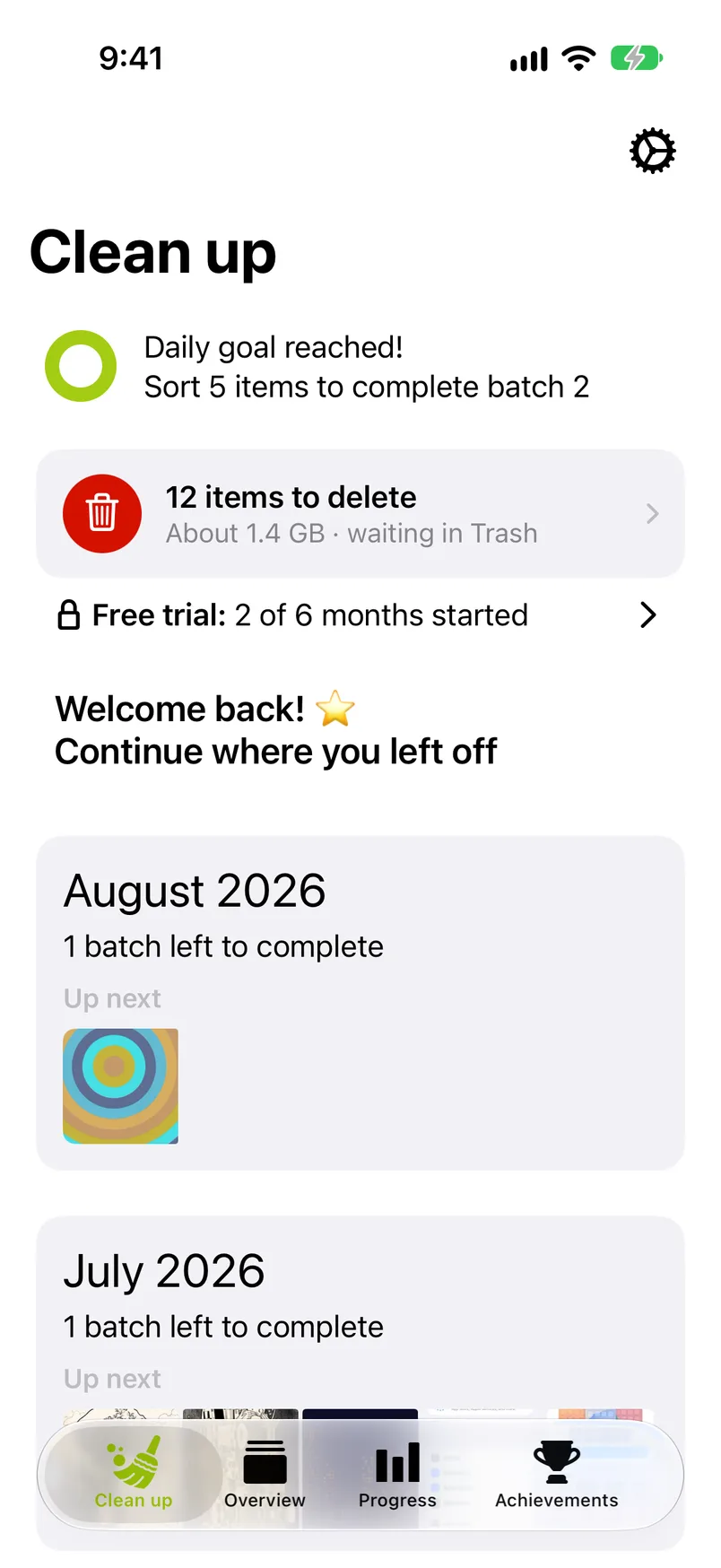
- The number covers every month and every list, and also what you marked on another device that syncs through your iCloud.
- The size is an estimate of what the items take now. They keep taking that space until you delete them, and after that for the 30 days they spend in Recently Deleted in the Photos app, unless you empty it sooner.
- A tap opens the Trash, where you keep single photos after all or delete them all. With nothing waiting there is no card.
The free trial row#
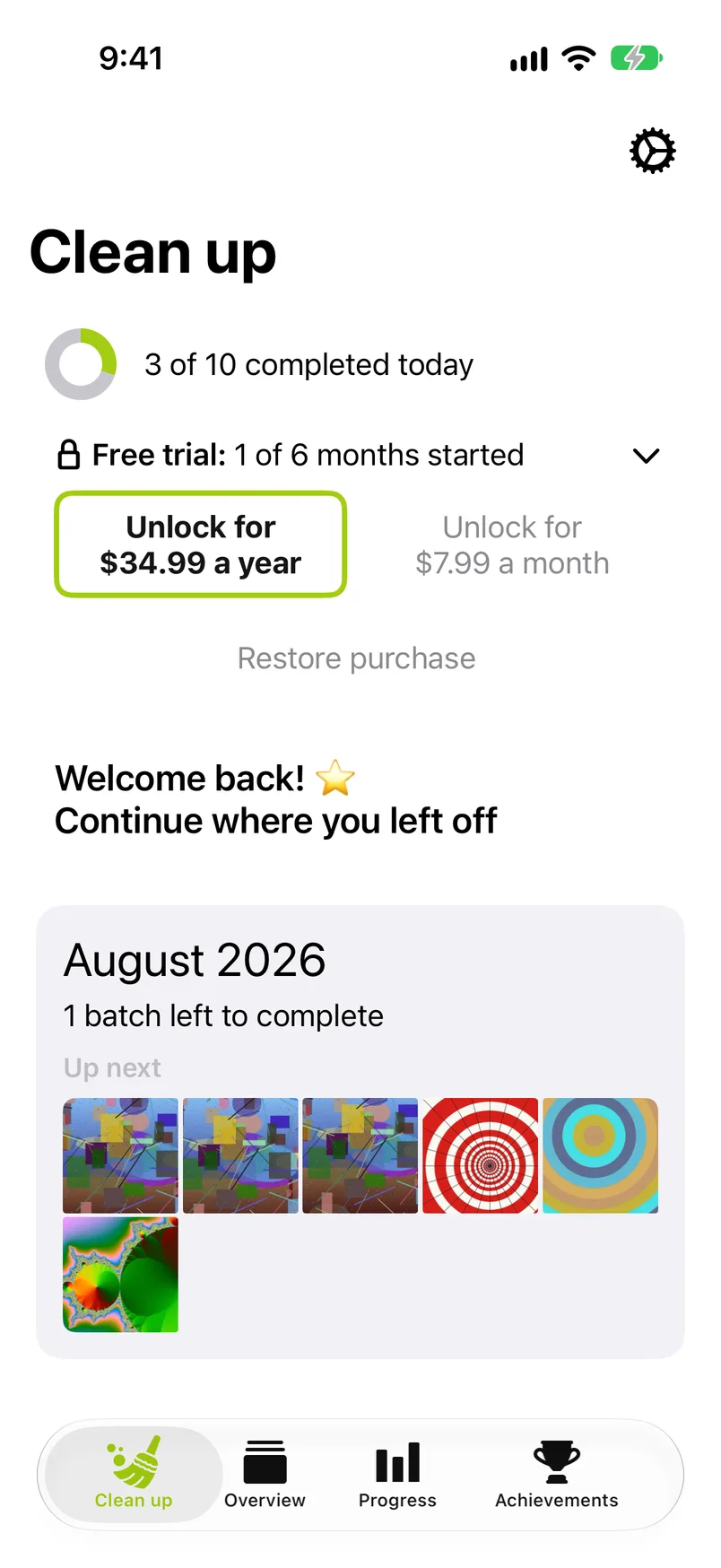
Until you subscribe, a row under the ring (under the items to delete card while that is showing) reads, for example, "Free trial: 2 of 6 months started". The free trial is six calendar months of your library, of your choice: six months of photos, not six months of time. A month counts once, however you start it: from the Overview's years, from the Videos, Screenshots or Live Photos lists, or through one of its groups of similar photos. Tap the row to see the two plans and Restore purchase; tap it again to fold it away. The row disappears once GetSorted is unlocked. What a free month is, and what happens after the sixth, is in Free trial and subscription.
Started months#
Every month you have started from the Overview's years and not yet completed appears as a card: its name, how many batches are left, and Up next with up to 15 of the photos you have not decided on yet. Tap the card and the sorter opens right on the next undecided photo, so a daily session is one tap away. Once every photo of a month is decided but removals are still waiting, the card reads Month ready to be completed and opens the month grid, where Complete month is waiting. A month you have only sorted in through the Videos, Screenshots or Live Photos lists, or through a group of similar photos, counts in the free trial but gets no card here: continue it from its list.
A month is started the moment you make a first decision in it. It is completed when every photo in it is decided and none of its removals is still waiting. Removals go when you tap Complete month on the month grid, when you delete them in the Trash (which deletes the removals of every month at once), or when you take them back there with a tap. Before anything is deleted, iOS asks you to confirm. A month in which you kept every photo has nothing to delete and completes with the last decision. Completed months leave this tab and move to the Overview tab's Recently completed list.
The Settings gear#
The gear at the top right opens Settings. It is on every tab.