
Clean up photos
How to Declutter Photos on iPhone Without Losing Memories
How to declutter photos on iPhone without losing memories: decide once per photo, and keep it when in doubt. Start with what needs no thought (old screenshots, blurry shots, spare takes of one scene), then go one month at a time and keep the best of each scene. Deleted photos wait 30 days in Recently Deleted.
Decluttering digital photos is not about deleting memories. It is about clearing away what hides them: old screenshots, blurry shots, the six takes before the good one. This guide is written by the makers of GetSorted, an iPhone app for this job; the rules work without it. The iPhone steps were checked against Apple's iPhone User Guide for iOS 26 and iOS 27 and its support articles on 15 November 2026.
How do you declutter photos on iPhone without deleting memories?#
The best way to declutter photos is a method with a name: decide once. Clutter is what you would never miss; a memory is what you would.
- Decide once per photo. Look, keep or remove, move on. A photo you skip is one you will look at again.
- Easy wins first. Start with what needs no thought.
- One month at a time. A month can be finished. "All my photos" cannot.
- Keep the best of each scene. One good picture of the cake says more than seven.
- A small daily portion. A few minutes a day beat the big weekend that never comes.
One rule protects the memories: when in doubt, keep.
Before you start: is your library backed up, and what does deleting do?#
Three facts from Apple:
- Deleting on the iPhone can mean deleting everywhere. With iCloud Photos on (Settings, your name, iCloud, Photos, Sync this iPhone), a photo you delete is deleted on all your devices and in iCloud. iCloud Photos guards against a lost phone, not against your own deletions; Apple advises keeping backup copies of your library.
- Deleted photos wait 30 days. To recover one, open Photos, tap Collections, scroll down to Utilities and open Recently Deleted. Tap View Album, unlock it, tap Select, choose the photo, then tap the More button and Recover. Photos in that album still take up space (storage still full after deleting).
- One exception. If your iCloud storage is over its limit, deleted photos are removed at once and cannot be recovered.
What can go without thinking?#
Photos that were never meant as memories. The iPhone collects some of them: in Photos, tap Collections and scroll down.
- Screenshots that have done their job: Media Types, then Screenshots (how to delete screenshots).
- Photos taken as notes (a receipt, a parking spot): Utilities gathers some by content, such as receipts, handwriting and QR codes.
- Pictures saved from messages, mail or the web: Recently Saved, under Utilities.
- Exact copies: Utilities, Duplicates, then Merge (the collection appears only when Photos has found some).
- Blurry shots, accidental shots, spare takes of one scene: Apple's guide names no collection for these; you meet them as you go through a month (similar photos).
In a collection, tap Select, mark what can go, tap the Trash button and confirm (how to mark many at once). "Without thinking" still means one glance: a booking you need or a receipt under warranty is a document, not clutter.
What should you keep, and how do you decide quickly?#
Ask one question of every photo: would I be glad to see this again? Not whether it could be useful one day; almost anything could.
- Keep the best of each scene. See the whole series first, then keep the one or two that work: eyes open, sharp, the moment itself.
- People before scenery. An imperfect photo of someone you love beats a perfect one of a landmark that is on every postcard.
- Keep what cannot be retaken, sharp or not: people who are gone, children at an age that has passed, the only picture of a day.
- Let go of what you cannot place. If you no longer know why you took it, it is not a memory.
- When in doubt, keep. Hesitation is an answer.
To decide quickly, look at each photo full screen, in the order the photos were taken, so a series stays together. Decide keep or remove and nothing else: no editing, no captions. Stop when the day's portion is done.
Decide once per photo: how GetSorted puts the rules to work#
Around here most people think: with my library, this will take forever. That is what GetSorted is for: one month at a time, one photo at a time, every decision recorded.
- Decide once. Open a month on the Overview tab and tap Start sorting. One photo fills the screen: swipe up marks it Remove, swipe down marks it Keep. Continue sorting later opens the first photo without a decision.
- Easy wins first. The Overview lists your Screenshots month by month.
- The best of each scene. Similar photos groups look-alikes taken within minutes. Compare mode shows a group one photo at a time, the neighbors peeking in at both edges, and keeps your zoom from photo to photo.
- File the keepers. An album chip keeps a photo and adds it to that album (sorting photos into albums).
- One month at a time. Remove is only a mark: what you marked waits in the Trash, and any decision can be changed. When the month is decided, tap Complete month and confirm the iOS dialog; the photos then wait 30 days in Recently Deleted.
- A small daily portion. A daily goal of 10 to 100 photos with an evening reminder; streaks, 20 achievements and a progress bar for every month keep you at it. The routine is in how to clean up your camera roll.
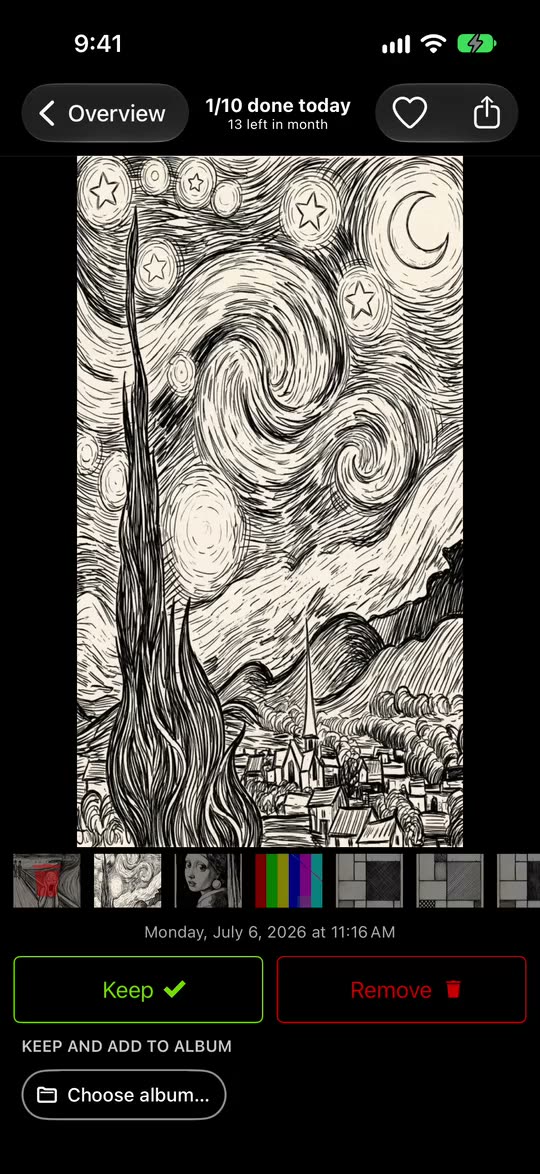
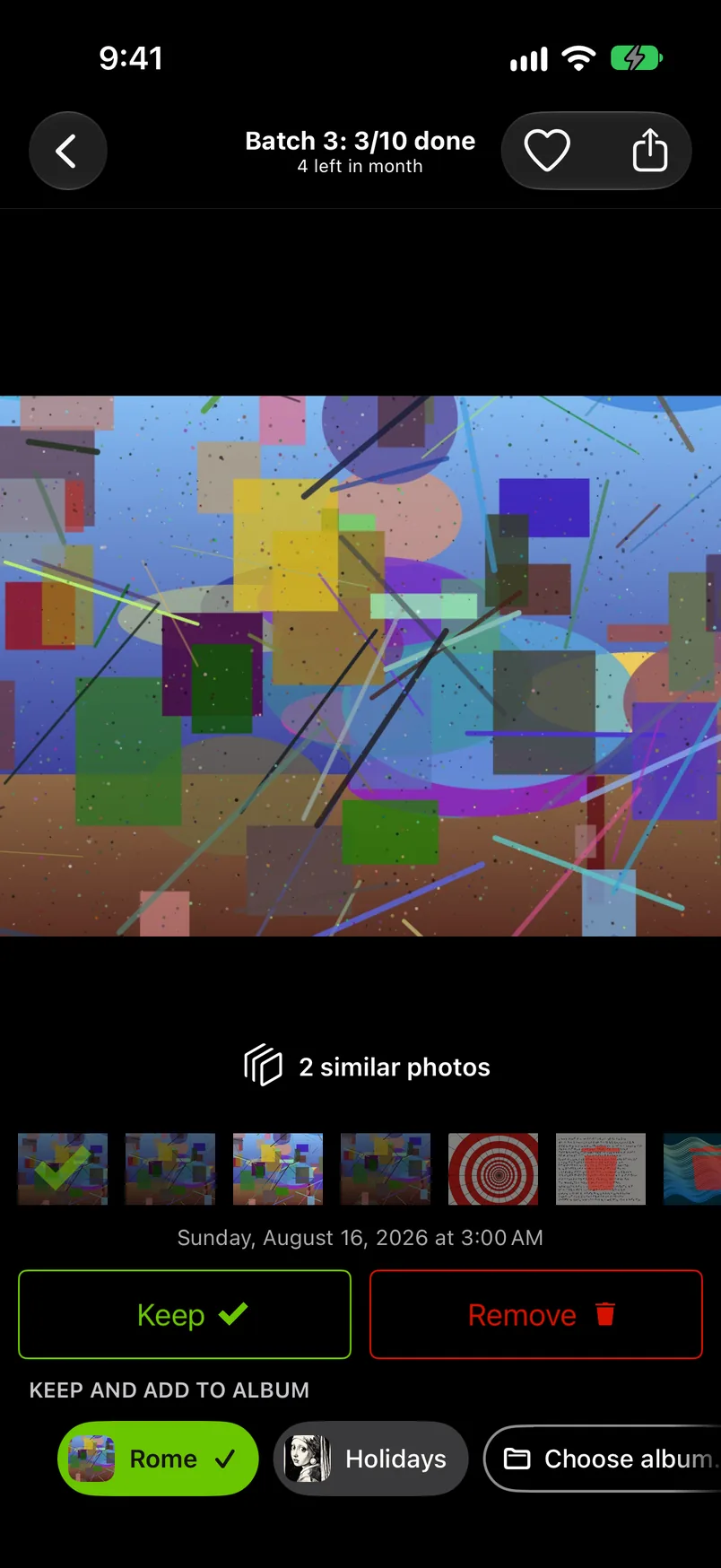
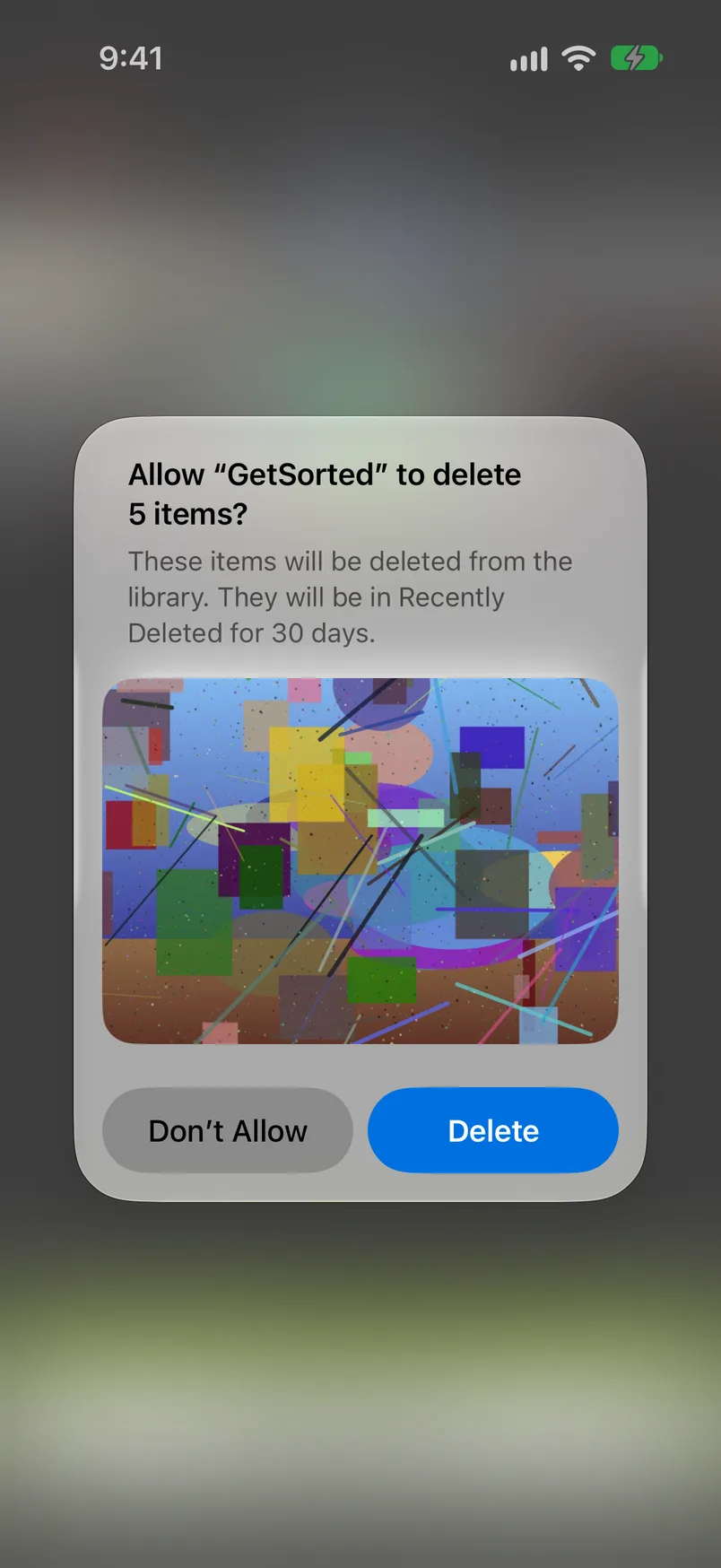
GetSorted does not choose for you: it never marks a photo by itself, suggests no best shot and detects no blurry photos. Exact duplicates are merged by Photos, not by GetSorted.
What is free: the download, with no ads, and six calendar months of your library, of your choice, with no time limit. That is six months of photos, not six months of time. A month counts from the first decision in it. A library of ten years has about 120 months; the rest needs GetSorted Plus, a subscription (monthly or yearly). See the six free months.
GetSorted does not upload your photos or videos; they are shown and compared on your device. Usage statistics, crash reports and purchase status go to three services (Privacy).
Are there apps to declutter photos?#
Yes, of two kinds, going by their App Store pages (read 14 November 2026). Cleaner apps scan the library and propose what could go: duplicates, similar shots, screenshots, in some apps blurry photos. Review apps, GetSorted among them, show you the photos one at a time and record your decision. The best photo declutter app for your iPhone depends on what you want back: storage with few decisions, or a library you have looked through. Dated facts for both kinds are in best photo cleaner apps for iPhone.
What about printed photos and old albums?#
Albums in the Photos app are lists, not copies. Deleting an album (Collections, Albums, touch and hold it, Delete Album) leaves its photos in your library; a photo deleted from the library is gone from every album.
Old photos on the phone get the same treatment, a month at a time.
Printed photos follow the same rules, one box at a time. GetSorted sees only the library on your iPhone or iPad, so scan the keepers if you want them there.
How do you stop the clutter from coming back?#
- Decide while it is fresh. After a party or a trip, pick the keepers the same evening.
- Give each finished month one sitting. A month done fresh is small.
- Stop chat pictures at the door. WhatsApp saves incoming photos to your library unless you turn off Save to Photos in its own Settings, under Chats (WhatsApp Help Center, read 15 November 2026).
Is it safe to delete photos from my iPhone?
Yes, if you know two things. With iCloud Photos on, a photo deleted on the iPhone is deleted on all your devices. And you have 30 days to recover it from Recently Deleted, unless your iCloud storage is over its limit.
How many photos should I keep?
There is no right number. Keep every photo you would be glad to see again and the best of each scene; what is left is your number.
How long does it take to declutter photos on iPhone?
That depends on your library and your daily portion; we have not timed it. GetSorted's own estimate is 5 to 6 minutes a day for a goal of 50 photos, about 10 minutes for 75. The sums are in how to go through thousands of photos.
Where do I start when the photo library feels overwhelming?
With something you can finish today: the Screenshots collection, or one single month. The full checklist is in how to clean up photos on iPhone.