
Choosing an app
Slidebox Alternatives for iPhone: Swipe, Then Sort Into Albums
The closest Slidebox alternative is an app that also files photos into albums as you swipe. GetSorted, which we make, does it with one tap, month by month and with no ads; six months of your photo library are free. Picnic's developer describes album filing too. Slidebox itself offers a one-time purchase and an Android app.
We make GetSorted, one of the apps on this page. Facts about other apps come from their US App Store pages and their developers' websites, read on 15 November 2026; reviews carry their own dates. We installed none of them, so how they work is told according to those sources; "not stated" means they are silent.
What is the best alternative to Slidebox?#
That depends on what you want:
- The album tap. Like Slidebox, GetSorted files a photo into an album with one tap. Picnic's website says it adds photos to albums as you swipe. For Swipewipe and Photo Cleaner ®, the listings do not state it.
- A month list. GetSorted lists your library by month, for every user; Swipewipe and Photo Cleaner ® describe one too. Slidebox's description states none; its release notes of 22 December 2025 say "Monthly organization with count is back".
- No ads. GetSorted shows none, whether you pay or not.
- A free Slidebox alternative. Clever Cleaner's listing describes swiping with no daily limit and no ads; album filing is not stated. GetSorted is free for six calendar months of your library: six months of photos, not six months of time. Picnic's listing gives 100 free swipes a day. More: free photo cleaner apps.
- No extra app. In the Photos app you file by hand: tap Select, then add the photos to an album (checked for iOS 26 and iOS 27). Steps: how to sort photos into albums.
How does Slidebox work, and what does its App Store page list today?#
Slidebox, by Slidebox LLC, has been on the App Store since June 2015. Its developer describes three gestures: swipe up to trash a photo, pull down to mark it a favorite, tap an album to file it. Trashing only marks a photo inside Slidebox; once you delete the trashed photos, they are in Recently Deleted for 30 days. Albums made in Slidebox are albums in your Photos library. The listing adds swiping between similar photos, and undo.
On 15 November 2026 the US page showed:
- 4.8 stars from 16,730 ratings and an Editors' Choice badge.
- In the age rating section, the line "Contains: Advertising".
- For version 26.1105.1 of 9 November 2026, the notes "No ads" and "Bug fixes".
Is Slidebox free? What reviewers report about the limits#
The download is free; which features are free is not stated in the listing. It says that purchases add storage and features, such as cloud storage for albums, and that a one-time purchase unlocks the full version for good.
Where Slidebox free ends and premium begins, only reviews say: user reports, not verified facts. Of the 89 written reviews in the App Store's US review feed for the twelve months to 15 November 2026, 46 give five stars and 36 give one to three (our count; the overall rating is 4.8 stars from 16,730 ratings). They say, in our words:
- Older photos or past years now need the paid version (14 March and 14 June 2026); on the German store, so does sorting by month, for 22 € (22 May 2026).
- Only so many photos can be sorted before a prompt to pay about 20 dollars (10 December 2025).
- Praise for the free tier (22 October 2026), and for being cheaper than another swipe app that does not sort into albums (3 November 2026).
They name no single limit, so check in the app before you pay.
Is Slidebox safe? What its privacy label says#
No verdict from us; the sources declare:
- Deleting. A swipe deletes nothing; deleted photos stay in Recently Deleted for 30 days (developer's FAQ).
- Privacy label. One section, "Data Not Linked to You": usage data for third-party advertising, diagnostics, and photos or videos for app functionality. There is no "Data Used to Track You" section. Developers supply these labels; Apple has not verified them.
- Cloud. Optional, according to the FAQ. The privacy policy (updated 24 August 2024) says photo library content may be uploaded to the company's or a provider's servers, or stay on the device.
What to check in any such app: are photo cleaner apps safe?
Apps like Slidebox compared#
US App Store, 15 November 2026. Prices are listed in-app purchases (at most ten are shown, not which one a new user gets); in brackets, a weekly price times 52.
| Slidebox | GetSorted | Picnic | Swipewipe | |
|---|---|---|---|---|
| Files into albums | One tap | One tap | While swiping (website) | Not stated |
| Month list | Yes (release notes) | Yes | Not stated | Yes |
| Swipes | Up trashes, down favorites | Up removes, down keeps | Left archives, right keeps | Left deletes, right keeps |
| Free use | Not stated | 6 calendar months of your library | 100 swipes a day (listing) | Ads and a swipe limit (help page) |
| "Contains: Advertising" | Shown | Not shown | Shown | Shown |
| Weekly | $1.99, $2.99 ($103.48, $155.48) | None | $4.99 to $7.99 ($259.48 to $415.48) | $3.99 to $9.99 ($207.48 to $519.48) |
| Monthly, yearly | $4.99; $19.99 to $49.99 | $7.99; $34.99 | $9.99; $19.99 to $39.99 | Yearly $29.99 |
| One-time purchase | Lifetime $29.99, $49.99 | Not for sale; an earlier one is honored | Not stated | Not stated |
| Runs on | iPhone, iPad, Mac; Android (website) | iPhone, iPad | iPhone | iPhone, iPad; Android (website) |
Photo Cleaner ® describes a month overview with left and right swipes, in English only; album filing is not stated. See also the Swipewipe comparison and more photo cleaner apps.
How GetSorted files photos into albums, and what else it adds#
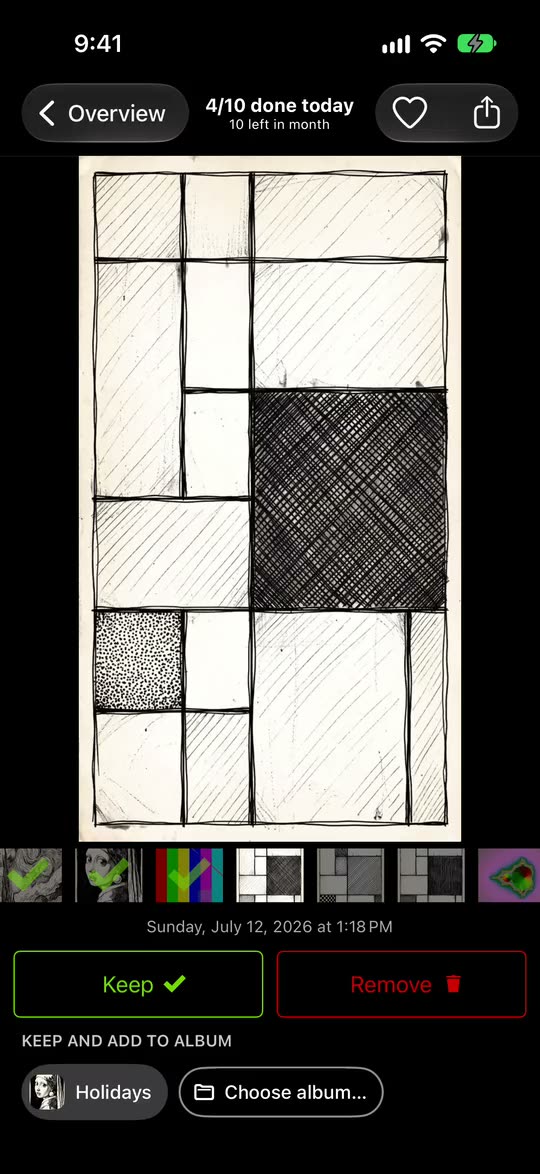
GetSorted cuts your library into months and shows one photo at a time. The upward swipe is the one you know from Slidebox; pulling down marks the photo Keep here, and the heart makes a favorite.
- Open a month on the Overview tab.
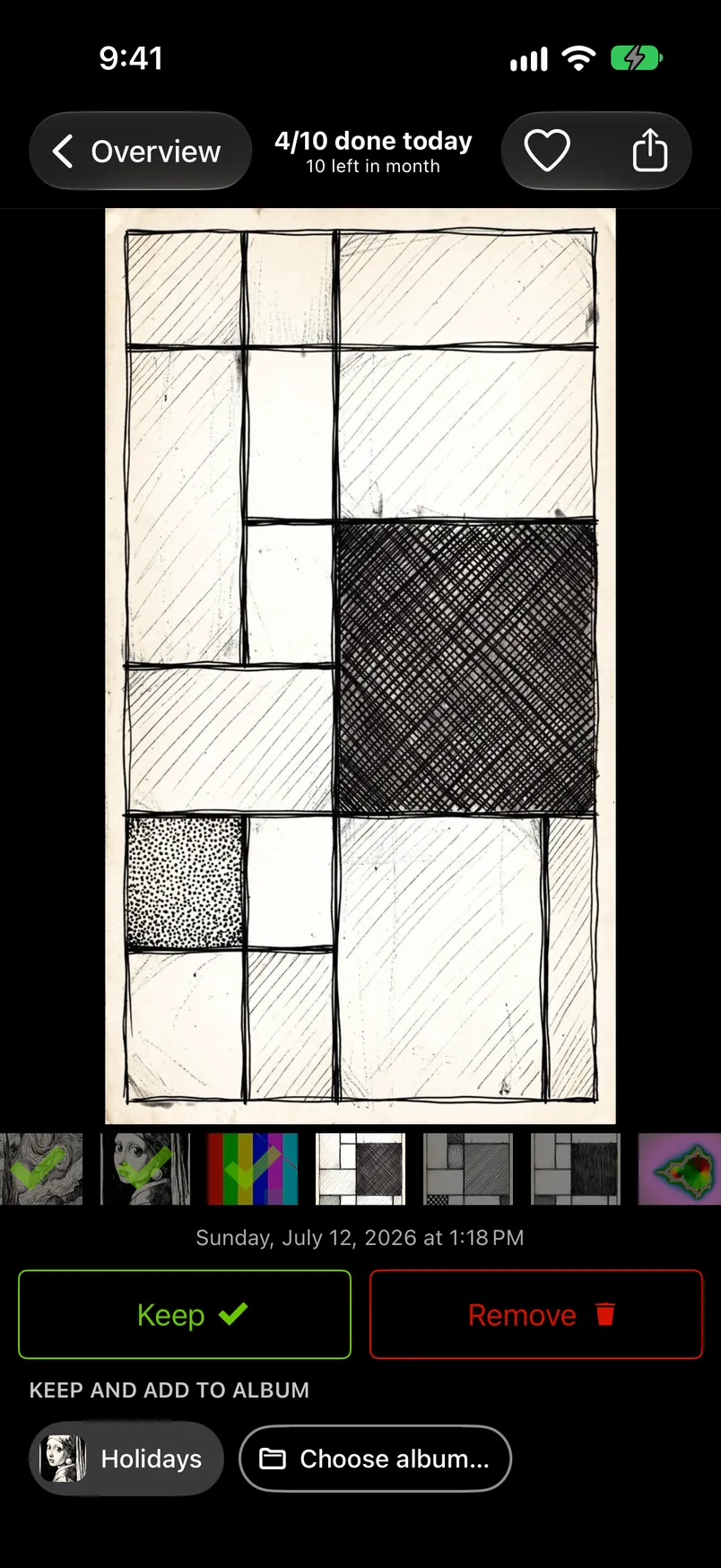
- Swipe up to mark a photo Remove, down to mark it Keep. A swipe never deletes.
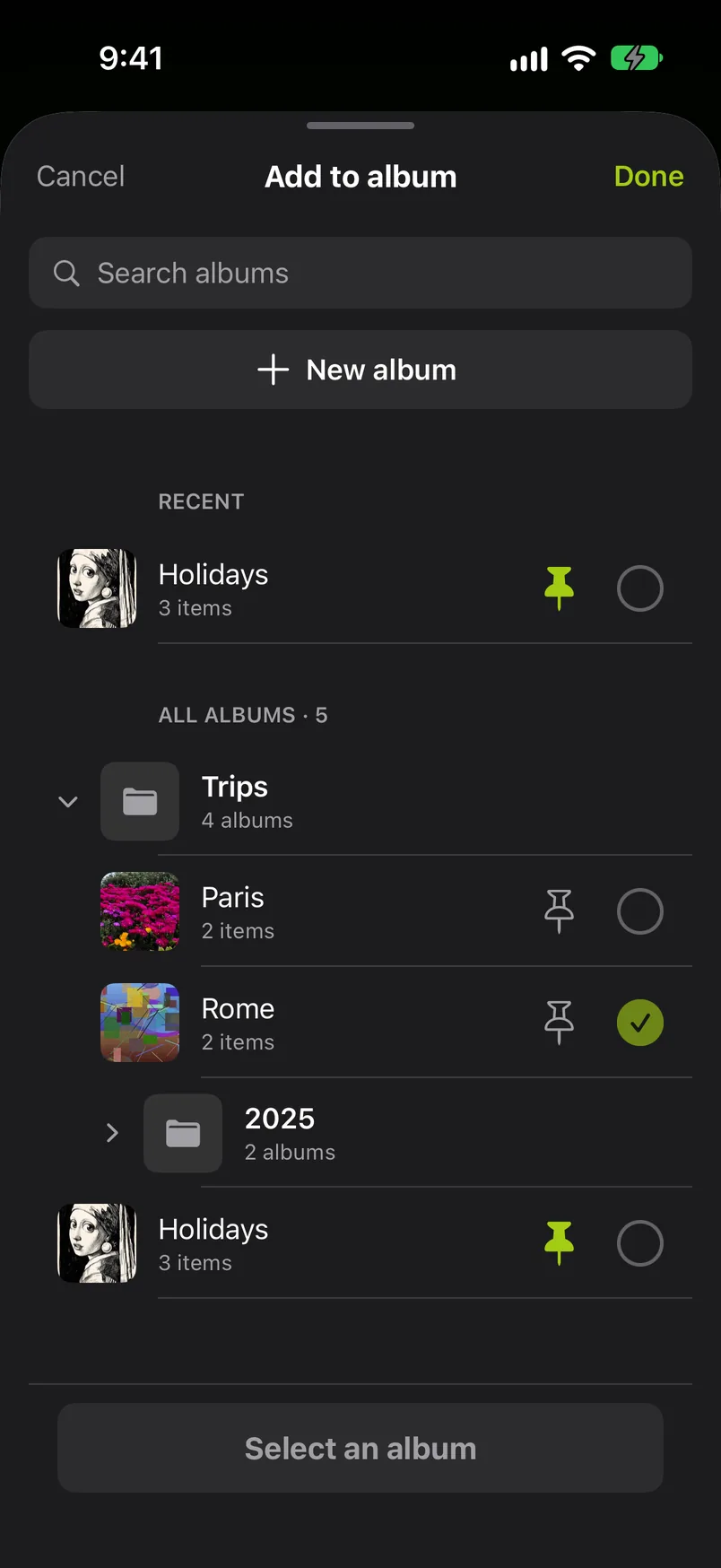
- Tap an album chip: the photo joins that album in your Photos library and is marked Keep. Up to eight pinned albums are chips; Choose album… lists all your own albums.
- Photos marked Remove wait in the Trash, as in Slidebox. Once the month is decided, tap Complete month, or empty the Trash, and confirm the iOS dialog: only then are they deleted, and they stay in Recently Deleted for 30 days.
It also adds:
- The library by month. Sorting is free in six calendar months of your library, of your choice, with no time limit. Further months need GetSorted Plus: $7.99 a month or $34.99 a year in the US, £7.99 or £34.99 in the UK (App Store, 15 November 2026, prices for new subscribers).
- No ads, for free users too.
- Similar photos, grouped for you and compared one at a time, the neighbors peeking in at both edges. GetSorted does not find identical duplicates; Apple's Duplicates album does.
- Month lists for videos, screenshots and Live Photos, a daily goal with streaks and 20 achievements, an iPad layout.
GetSorted does not upload your photos or videos; they are shown and compared on your device. It sends usage statistics, crash reports and purchase status to three services, with no consent step and no switch: what is reported.
Switching needs no migration: both apps work on your Photos library, so your albums and favorites are already there. Photos left in Slidebox's trash are still in your library (developer's FAQ), and in GetSorted every month starts undecided. Deleting an app does not cancel its subscription, Apple says.
An earlier one-time purchase comes back with Restore purchase; if not, write to support@sorted.app. GetSorted's own App Store description still said "no subscription" on 15 November 2026; that text is out of date.
When is Slidebox the better choice?#
Stay with Slidebox if you use what GetSorted does not offer:
- Paying once. Slidebox lists a Lifetime purchase; GetSorted sells subscriptions only. Slidebox's one-year items ($19.99, $29.99) are also below GetSorted's yearly price.
- Android or a Mac. Slidebox has an Android app, according to its website, and lists Macs with Apple silicon. GetSorted is for iPhone and iPad.
- Your language. Slidebox lists 15 languages; GetSorted speaks English and German.
- A favorite by gesture, undo, a cloud for albums.
- A long record. Slidebox has been on the App Store since 2015 and carries an Editors' Choice badge on its US page.
Is Slidebox free?
The download is free; the listing does not state which features are. It lists weekly, monthly and yearly items and a one-time Lifetime purchase (US App Store, 15 November 2026).
Is Slidebox safe?
Its privacy label has one section, Data Not Linked to You: usage data for third-party advertising, diagnostics, photos or videos for app functionality (15 November 2026). Apple has not verified it.
How does Slidebox work?
According to its developer: swipe up to trash a photo, pull down for a favorite, tap an album to file it. Trashed photos stay in your library until you delete them.
Slidebox or Picnic: what is the difference?
Slidebox trashes with an upward swipe and lists iPhone, iPad, Mac and a Lifetime purchase. Picnic archives to the left, keeps to the right, and lists iPhone only and 100 free swipes a day.